
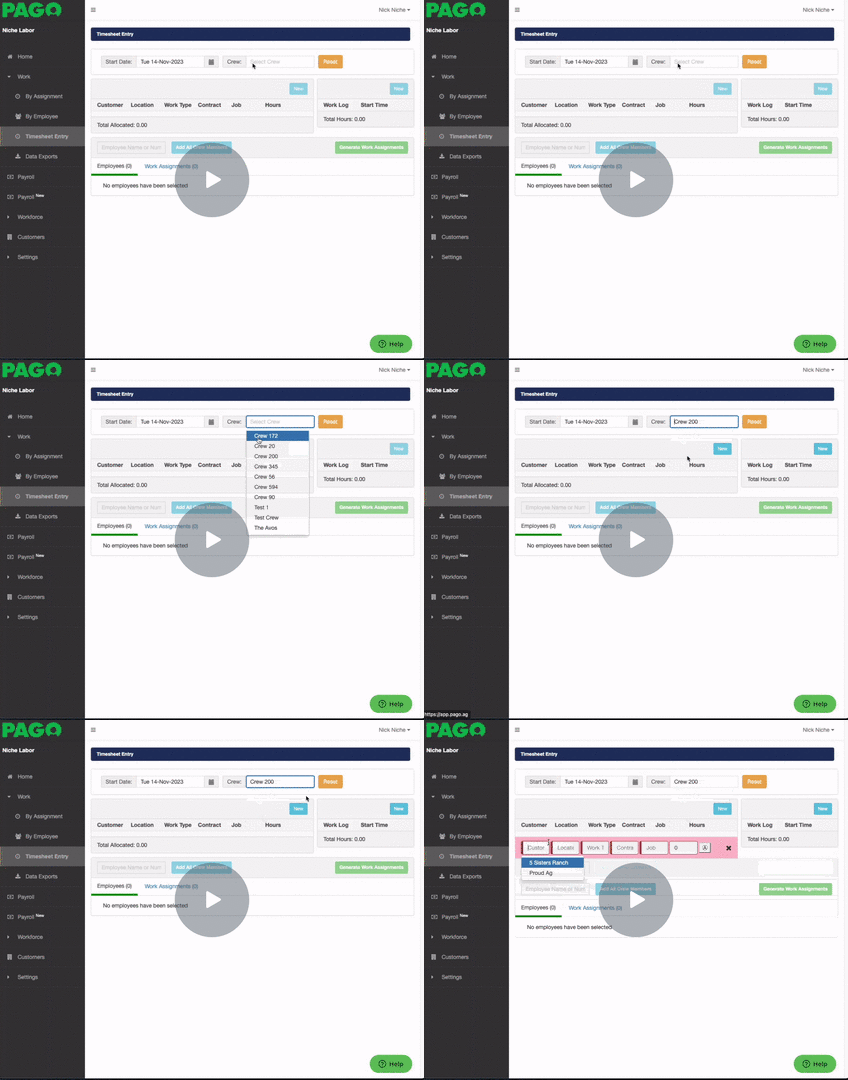
When missing a customer in creating a timesheet entry is because we may have forgotten to associate a crew to a customer. (Missing ACME Farms)
Follow the steps below to associate a crew to a customer.
Go into your customers tab and select the customer, in this example we
will select ACME FARMS
Once in the ACRE Farms you will need to select the Contracts tab
Once we are in the contract, we will need to select a Crew.
Select the Crews tab for a list of crews to populate.
Add a crew from the list and associate it by highlighting in Green Selected and finalize it with the Blue Select button on the bottom the pop up list.
Once you have associated the crew with the contract it will appear in our list.
Head back to the Timesheet Entry page, Refresh the page and you will be able to see that Customer in the drop down customer box and will be able to continue to create your
Timesheet Entry.
Missing Customer in Timesheet Entry (Missing ACME Farms) - Watch Video
Comments
0 comments
Please sign in to leave a comment.