
Setting up employee compensation is important so that the employees get paid correctly. Employee compensation can be changed in two places. The first place is in contracts, in the job compensation. The second place is in a work assignment.
Contract Compensation
Any changes made to the compensation at the contract level only affect compensation for new work assignments and not for existing work assignments.
To view compensation at the customer level select a Customer -> Contract -> Work Type -> Compensation
1) Select a customer
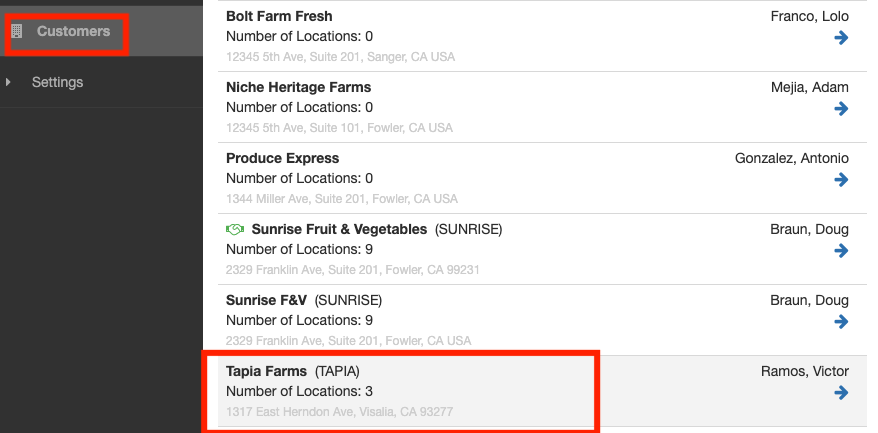
2) Select a Contract
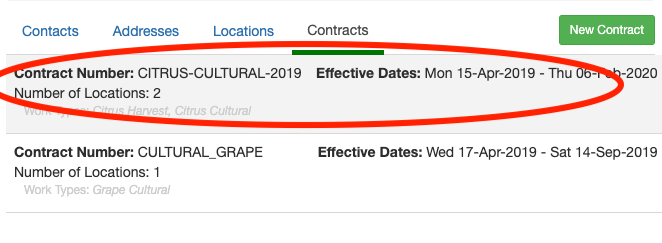
3) Select a Work Type
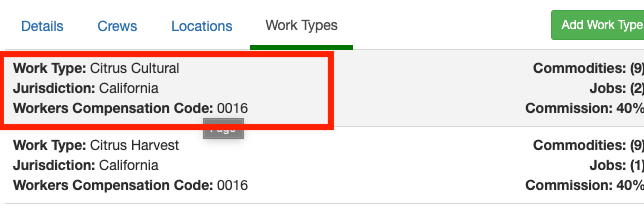
4) Click on any one of the job's compensation you'd like to adjust.
When you click on the job's compensation you will see the compensation settings for the selected job. For our example, we will adjust the pay for the Harvester job.
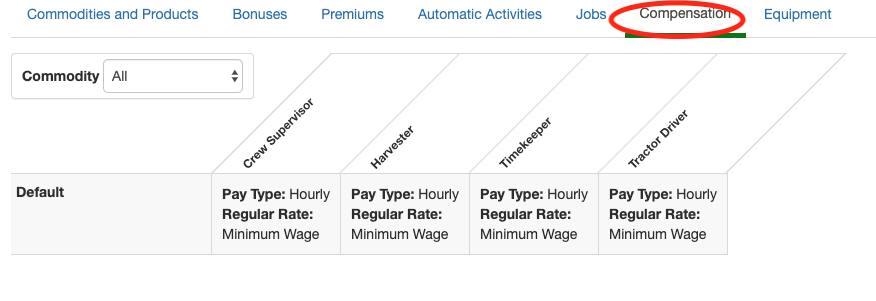
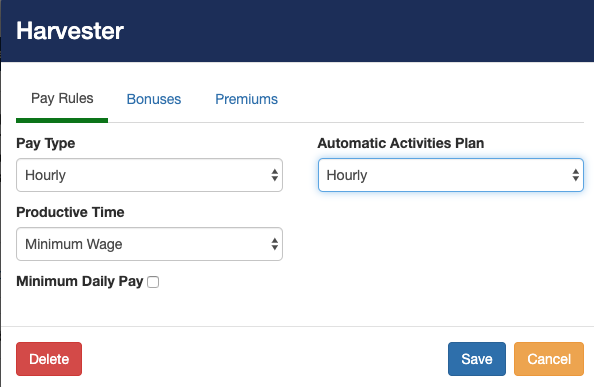
Hourly compensation
For this example, the employees will be working hourly and will be getting paid at minimum wage. We also created a custom hourly Automatic Activities Plan called Hourly. Click save when you are done doing adjustments.
Piecework compensation
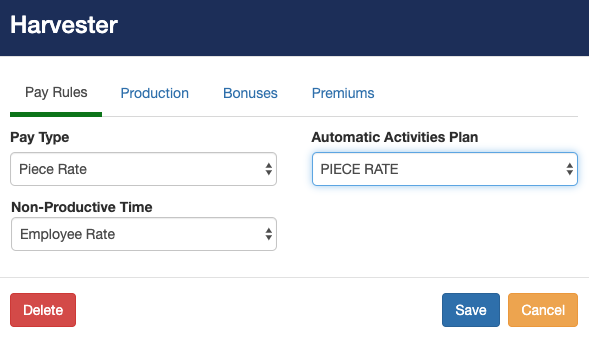
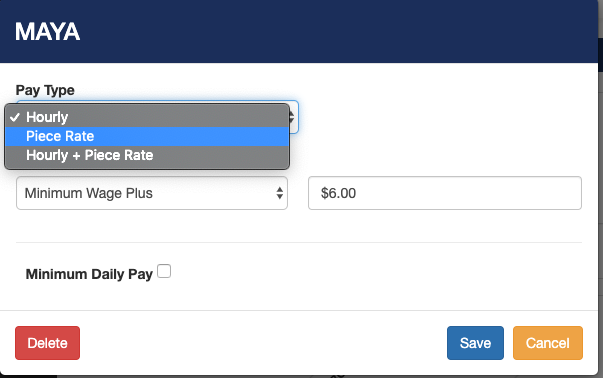
If you are paying employees piece rate pay, you change the Pay Type to Piece Rate. You'll need to select the pay rate for non-productive time. For our example, we'll be using automatic activities and selecting the piece rate plan that we have created.
To set the rate at which employees are getting paid click on the production tab. And, you'll need to set the Piece Rate paid per piece. Click the Add Tier button to add piece rates. If you pay tiered piece-rate pay, you can add additional tiers.
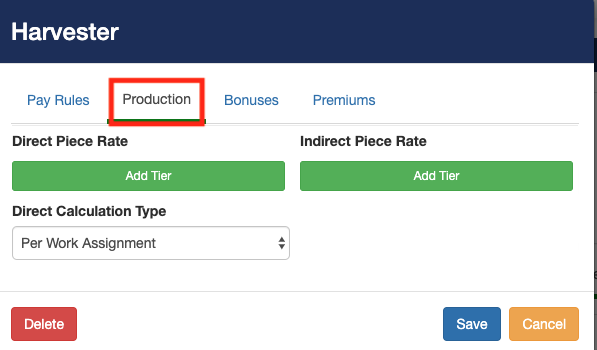
Direct Piece Rate: The employee will be getting paid for the work they directly produce.
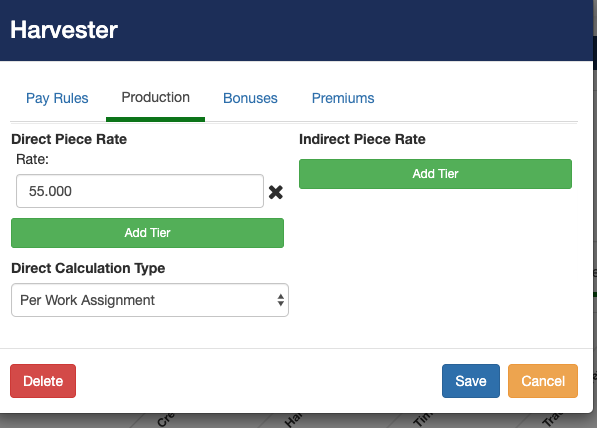
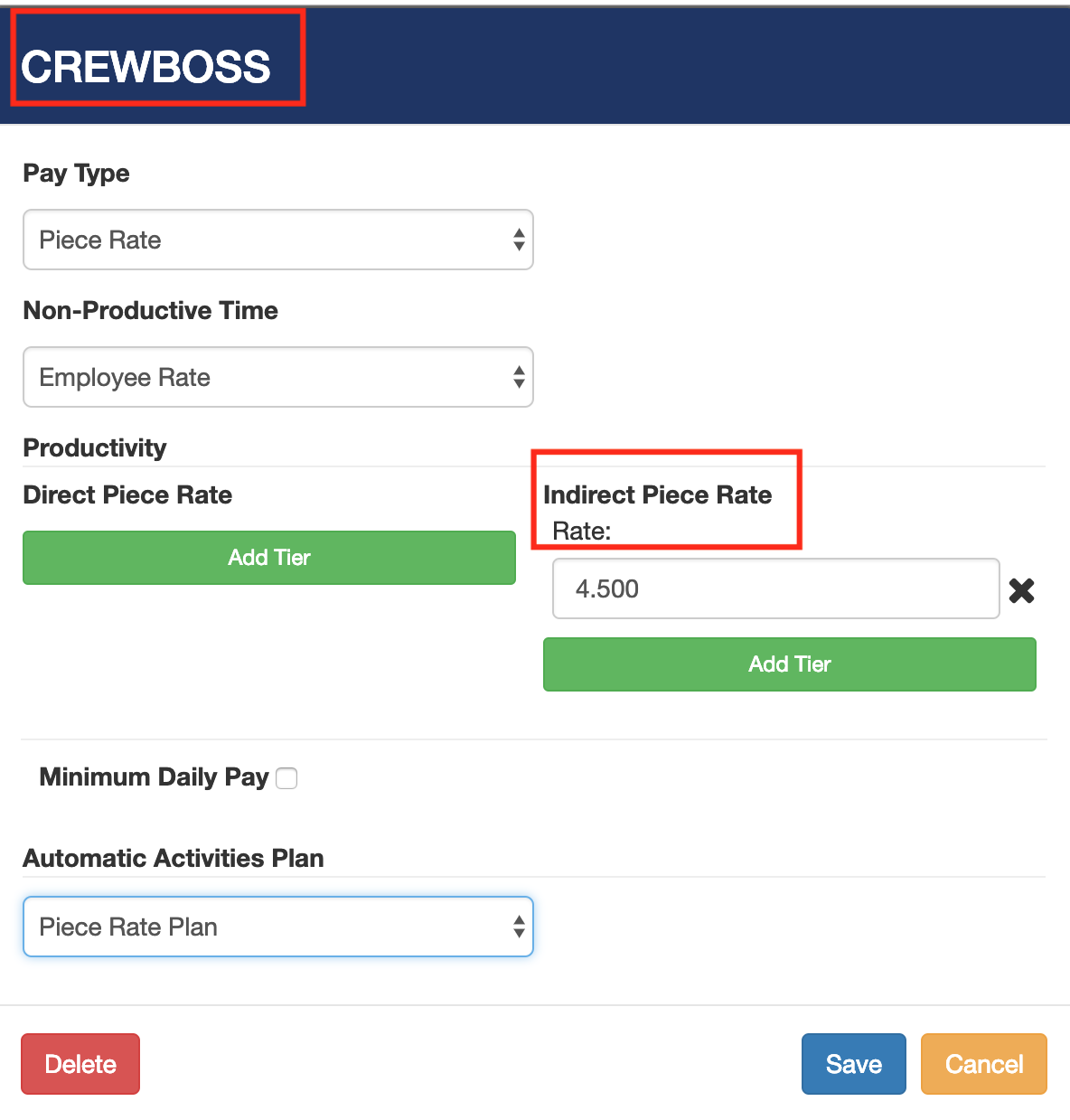
Indirect Piece Rate.
For our example, the crew boss job pays piece rate and the compensation is based on the total piece production of the entire crew. This type of pay is called Indirect Piece Rate.
If you have multiple products you can change the rate at which each product is paid.
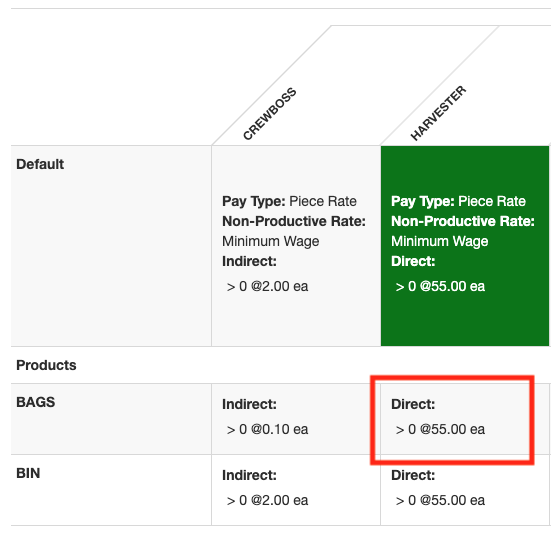
If you set the compensation to piece-rate or hourly plus piece rate and also set the direct rate or indirect rate, you'll notice a list of available products below the job compensation. Click on the product you would like to adjust compensation for. By default, the product rate is set at the original job compensation rate. In our case, the job compensation is set at $55 so all the products under it will be set at $55 as well. To change the rate of the product Bags we would click on the product under the job. Changing the rate of the product will only affect the job the product is directly under. In our case it is Harvester.
Don't forget to adjust the compensation for the rest of the jobs.
Work Assignment Compensation
On the work assignment level, compensation changes will only affect that specific work assignment.
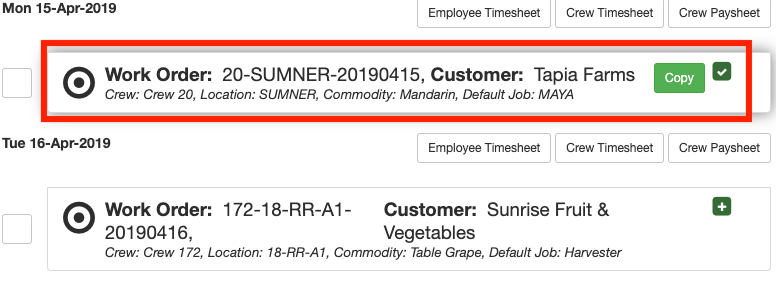
1) Select a work assignment you'd like to change compensation for.
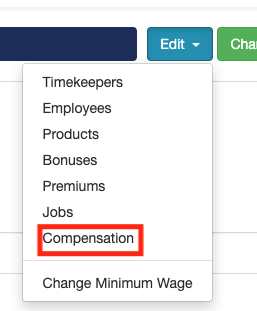
2) Click edit on the top right corner and select compensation
3) Select the wage you'd like to change
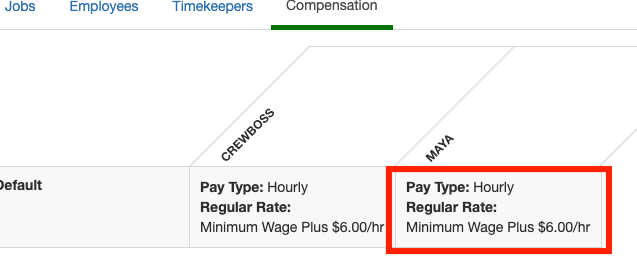
4) Make proper adjustments
Comments
0 comments
Article is closed for comments.