
Exclamation Marks:
You will come across exclamation marks for employees that require your attention. You will see them in both the time screen and the production screen.
Example 1
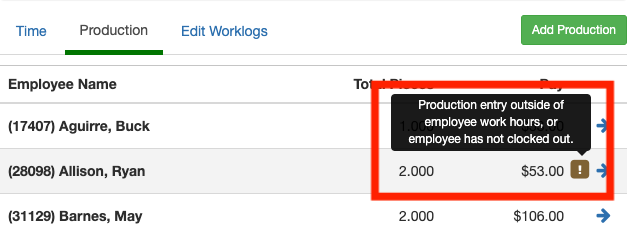
Notice on the Production screen the exclamation mark with a message displaying "production entry outside of employee work hours, employee has not clocked out"
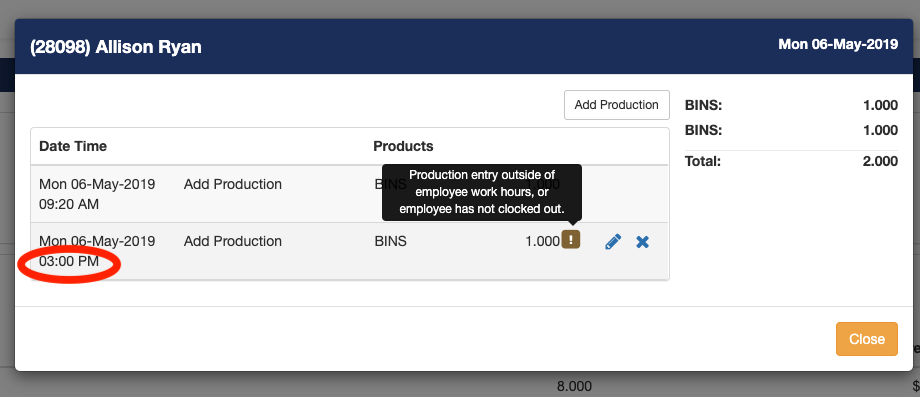
If you click on the employee you'll see another exclamation mark next to the production log that requires attention. In this case, the employees' production was outside of his clocked out time thus giving us an error. (FIX = edit the production time to be within employees clock-in and clock-out times).
Example 2:
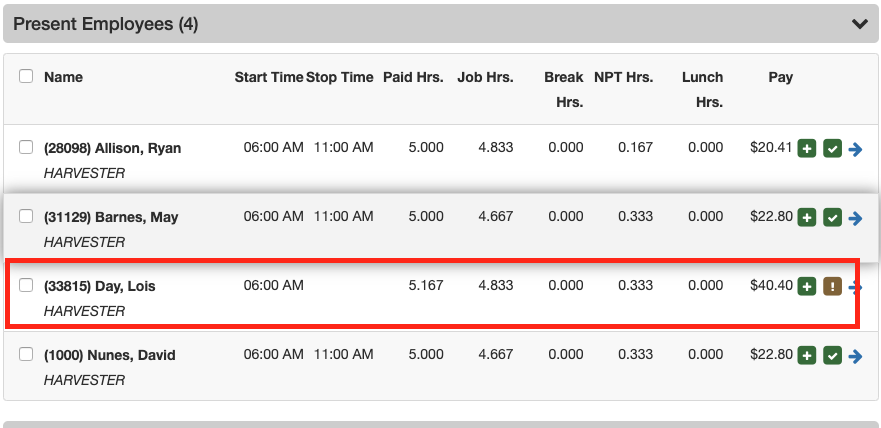
The employee Barton Henderson has an exclamation mark next to his name. Also, notice he does not have a stop time. The exclamation mark lets you know when an employee requires your attention. The warning message tells you the employee does not have a stop time. (FIX = Add a Stop Time entry and the exclamation mark will go away)
Green Plus Sign:
The green plus sign normally means there was a wage adjustment.
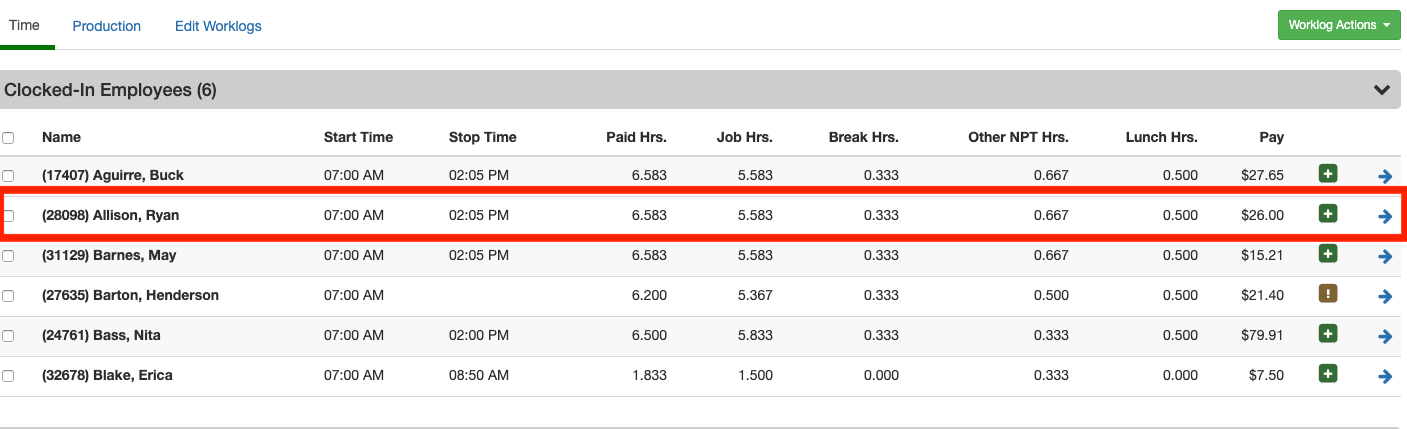
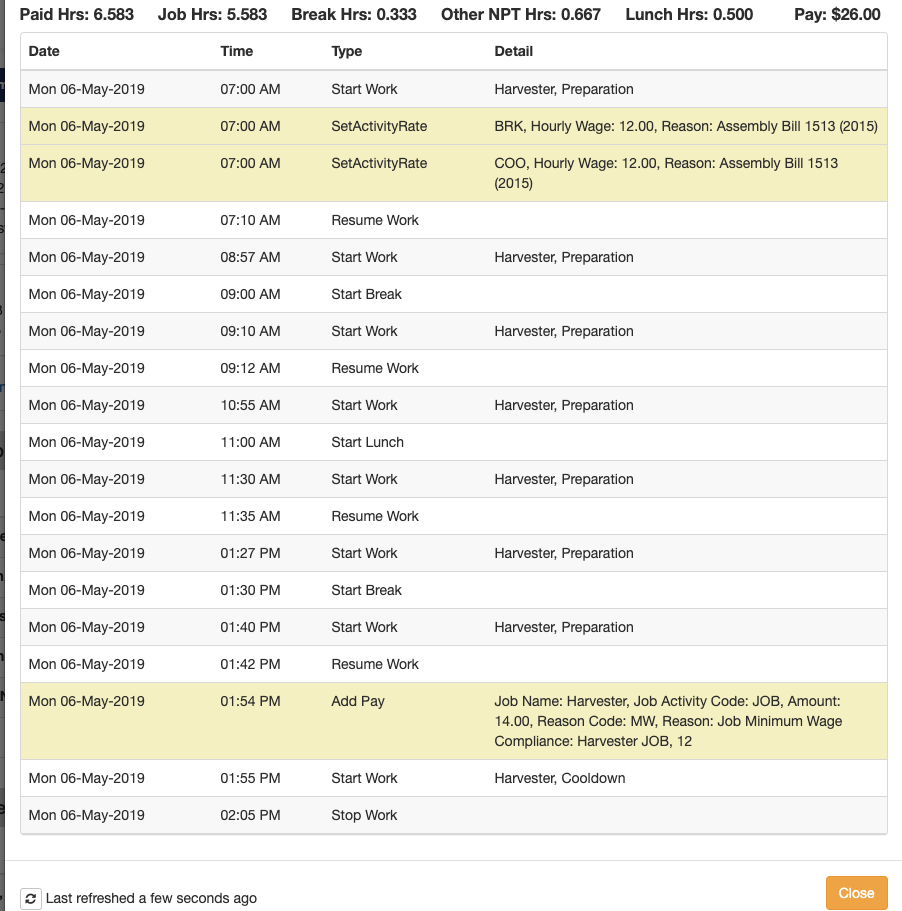
The following screenshot is the summary of Ryan Allison. Since Ryan did not make minimum wage his wage was adjusted.
Green Check Mark:
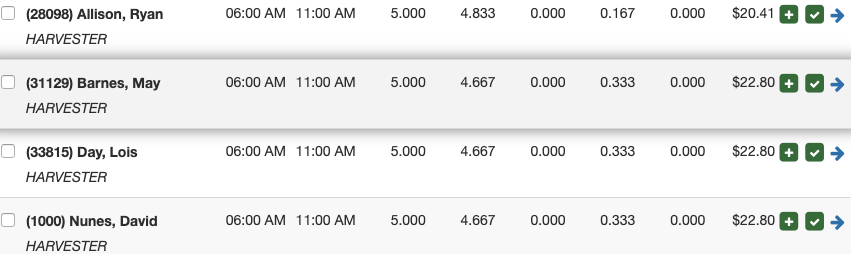
When you see a green checkmark you'll notice a message which says "compliance remediation completed." If you see the green checkmark next to the work assignment summary compliance has ran for every employee in the work assignment.

Every employee that has passed compliance will have a green checkmark.
Comments
0 comments
Article is closed for comments.