
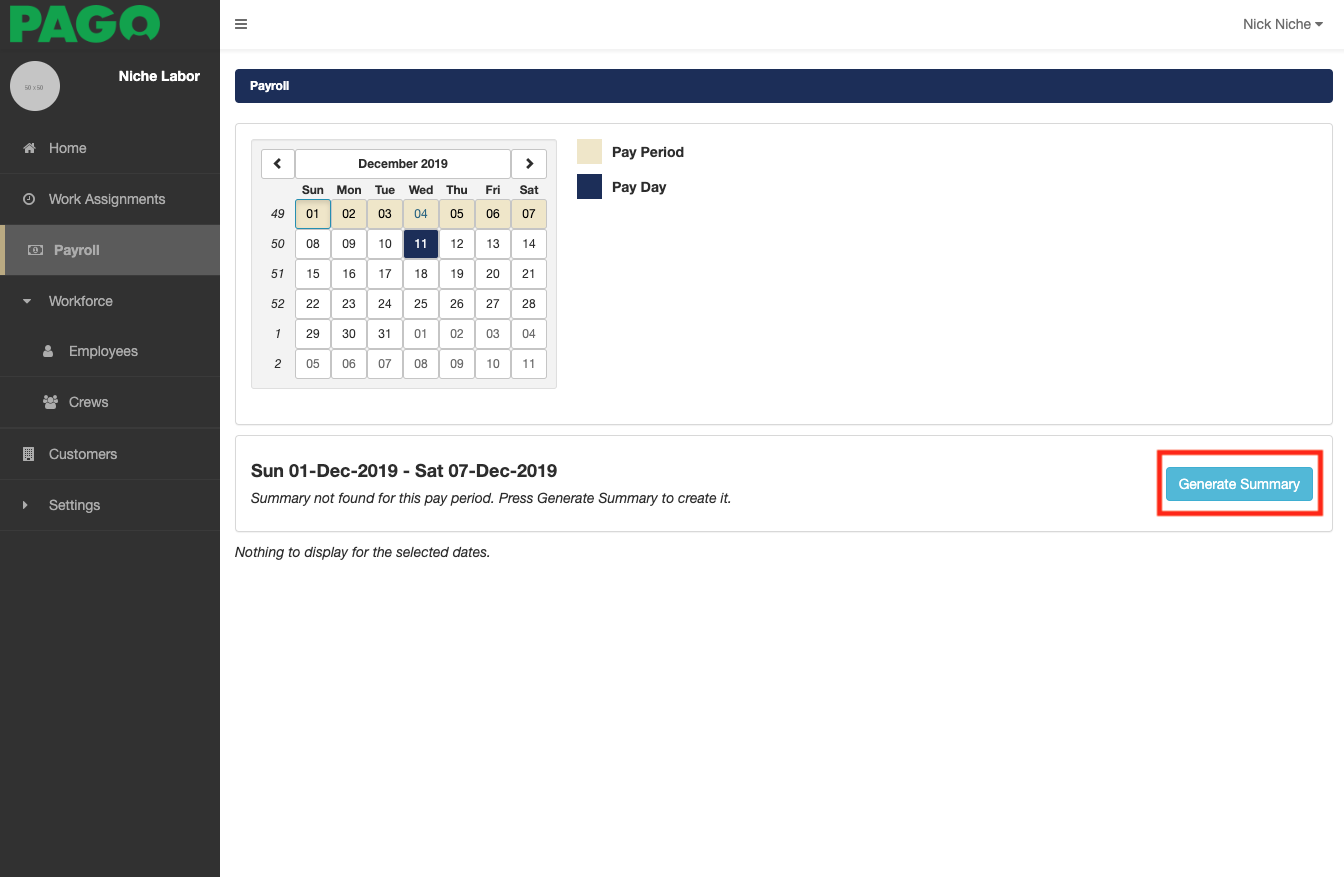
The first step in generating payroll is selecting the pay period on the calendar for the week for which you want to run payroll. Notice all of the days of the pay period are highlighted.
1. Now click on the Generate Summary button to initiate the processing of payroll for the selected pay period. (Please note: if you make any changes to work assignments in the pay period, you will need to process payroll again to ensure you have the most recent pay data).
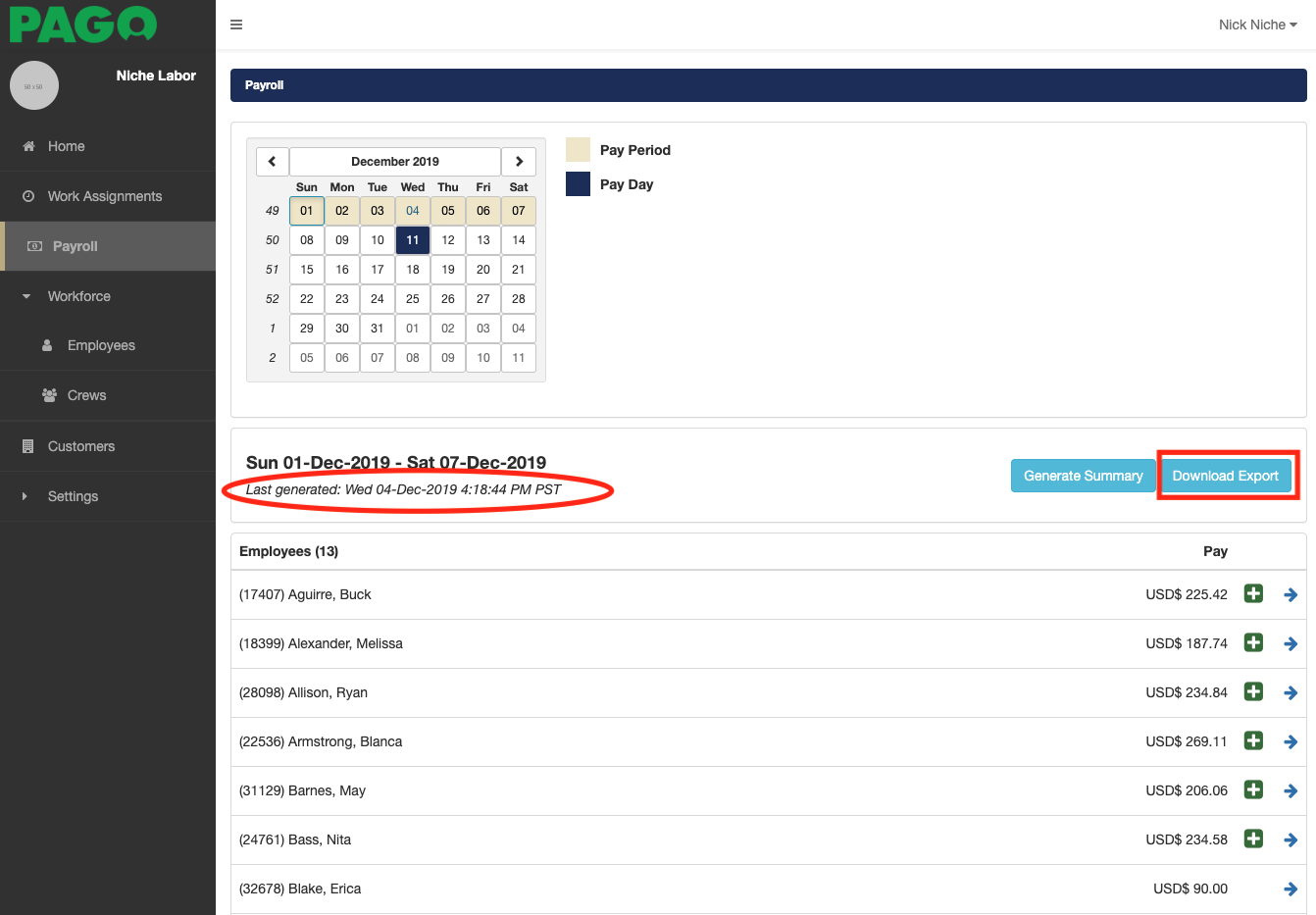
2. After the employee data displays on the page, there is a new button labeled Download Export.
Before you download the export ensure you have the most recent generated summary by looking at the "Last Generated" time.
When you click the Download Export button, Pago will download a payroll-ready file that it is in the format for your payroll software system. Your browser will let you know when the file is created and downloaded to your computer. (disable pop-up blocker)
3. If you open the file on your computer you can view the payroll data created by Pago.
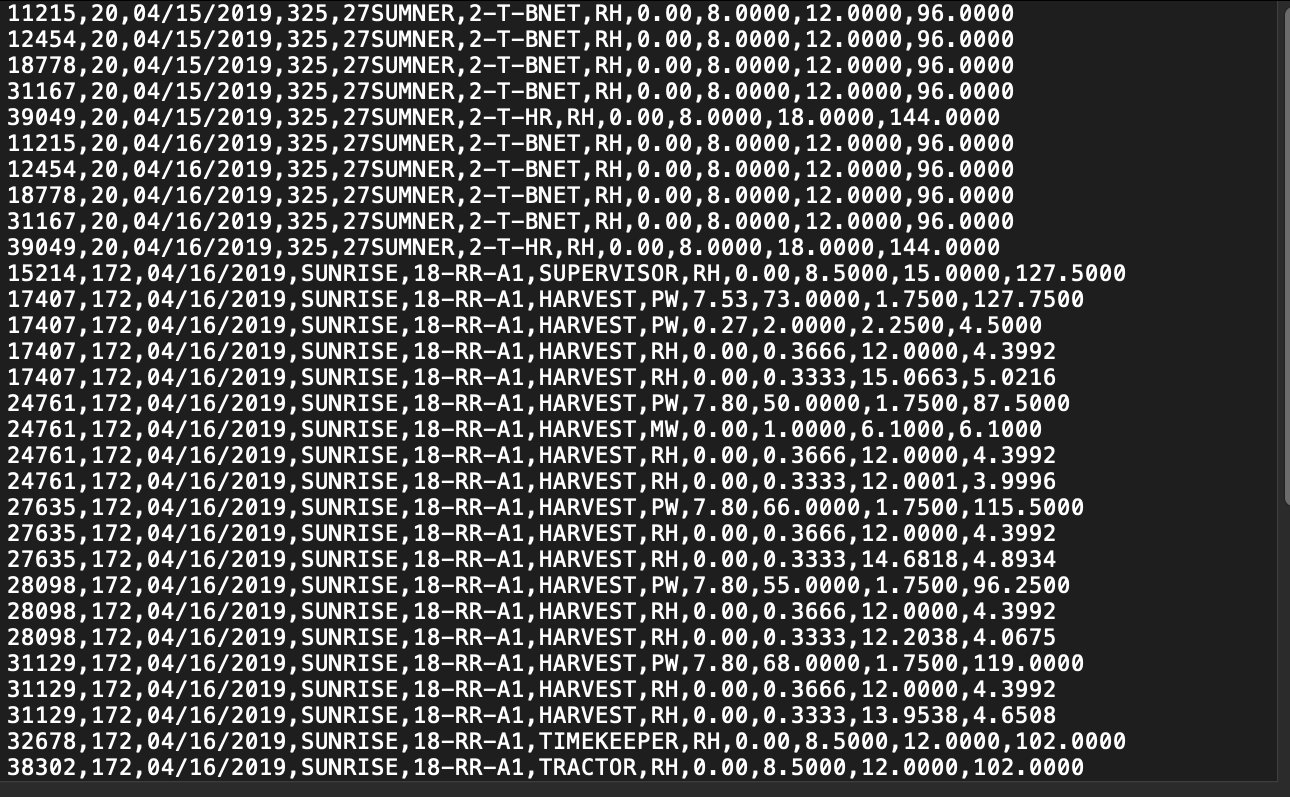
This file is ready to be imported into your payroll system.
Comments
0 comments
Article is closed for comments.