
In order to delete a work assignment, a work assignment must not contain any "worklogs". Worklogs include both time and production entries. If a work assignment does contain worklogs then you must first delete the worklogs before deleting the work assignment. In order to delete worklogs in a work assignment, first select the Time section within a work assignment.
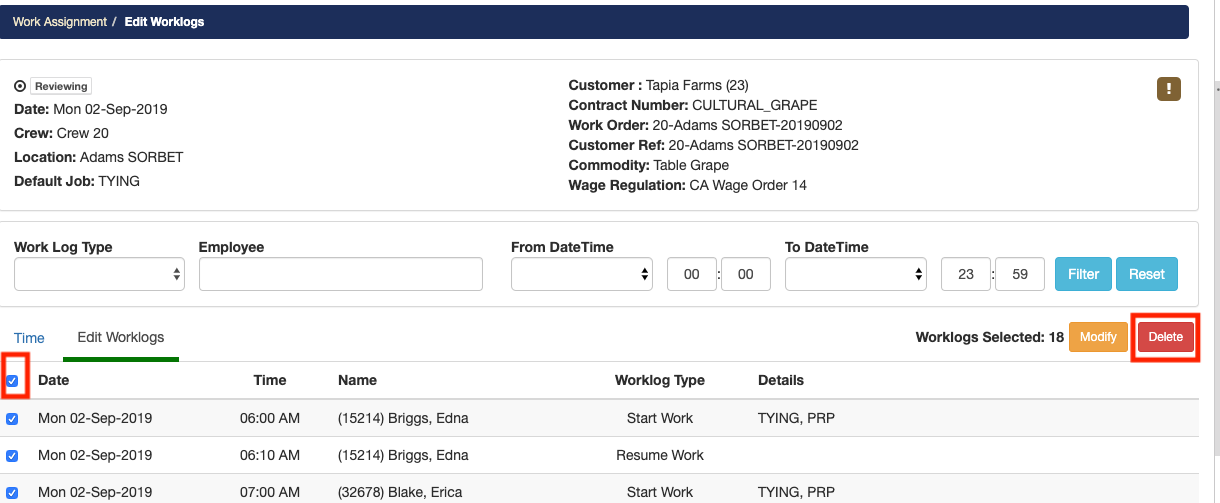
Now select the Edit Worklogs tab. On the top left click on the first checkbox to select all the worklogs. Once you have selected all the worklogs select the Delete button.
Return to the work assignment summary page and select the blue Edit button. From the drop-down list select the Delete option. The work assignment will now be permanently deleted and CANNOT be recovered.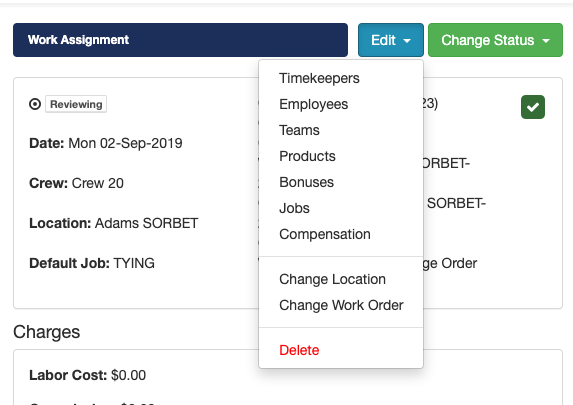
Comments
0 comments
Article is closed for comments.