
To find the automatic activities select a Customer -> Contract -> Work type -> Automatic Activities.
Automatic activities are helpful in making timekeeping easier and in ensuring you comply with ag labor laws. Automatic activities allow you to automatically set the length of breaks and meals. When you record a break or a meal, Pago will automatically set the length of the break or meal by creating a Resume Work work log.
If you are paying piece rate in California you are required to pay non-productive time (NPT).
With automatic activities you can set NPT activities after the Start Work work log, before and after breaks and meals, and before the Stop Work work log. Automatic NPT activities will be added when you record these types of work logs. You can select from a built-in list of activities for each type of work log.
Each contract work type can have multiple automatic activity plans. This is useful if some employees in a crew need NPT recorded and others don't.
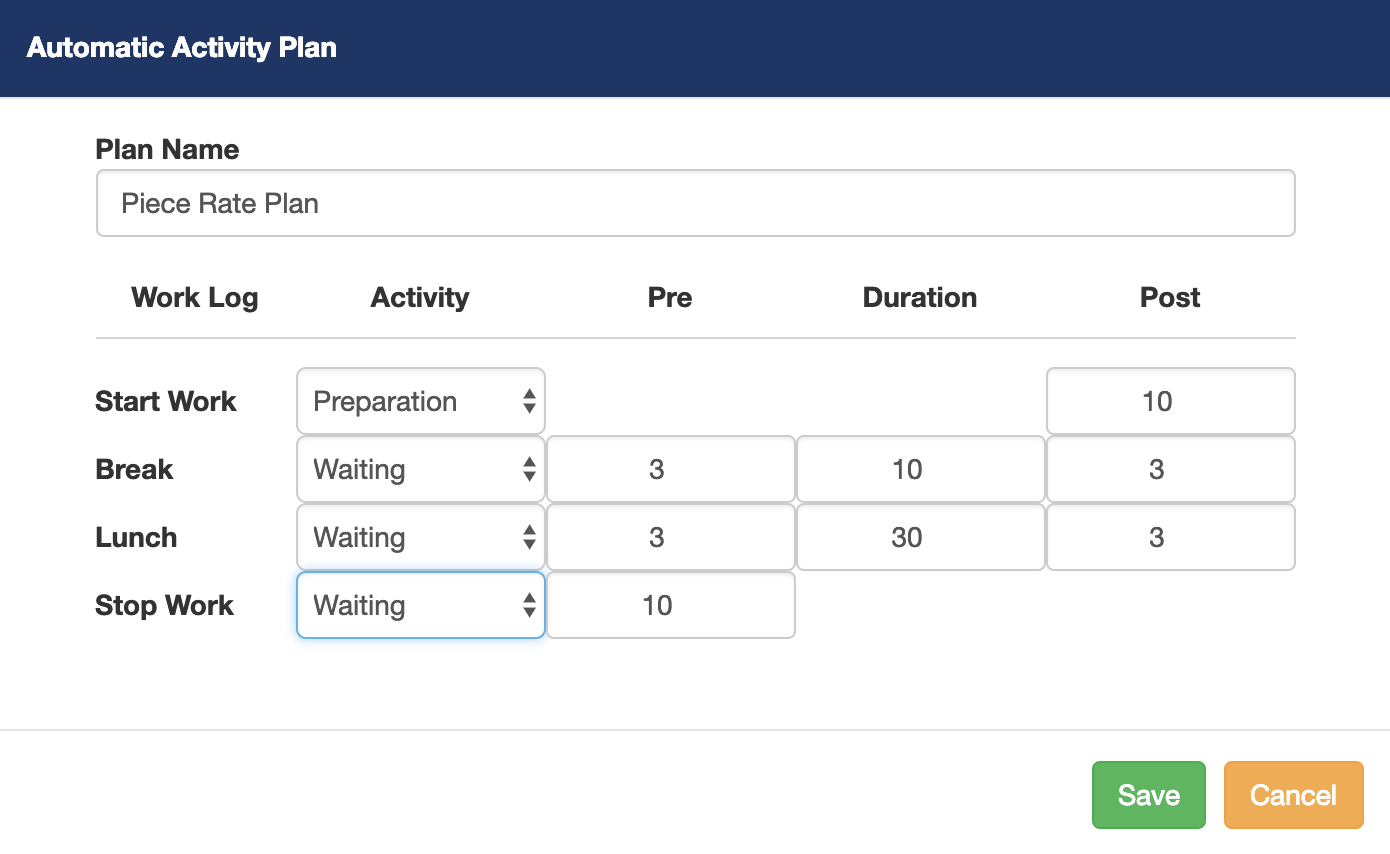
Each automatic activity has a Plan Name. In this example we gave the automatic activity plan the name Piece Rate Plan, because it will be assigned to jobs that are paid piece rate.
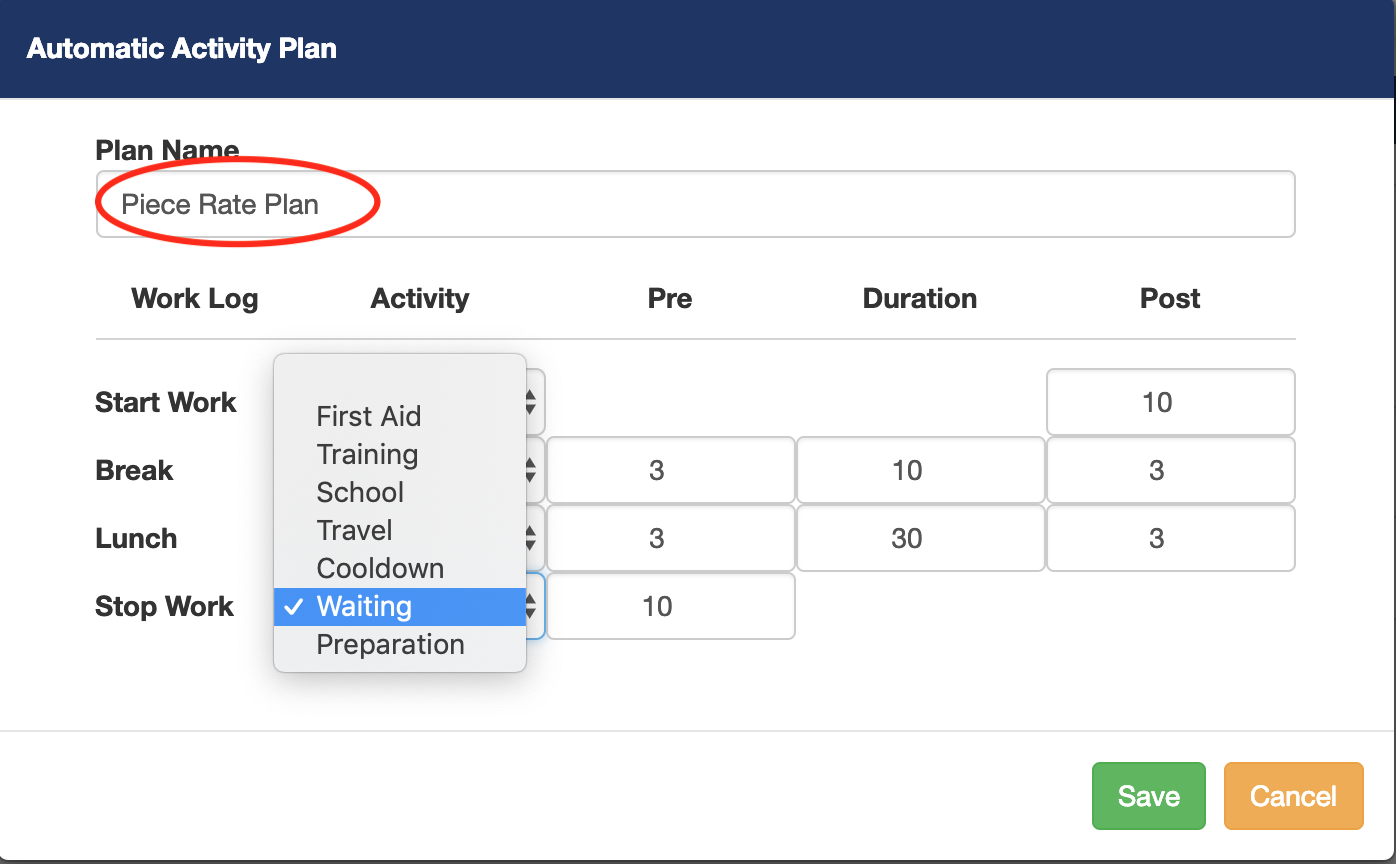
For our example, we give the employees a Preparation time of 10 minutes at the start of the day. For breaks and lunch, we also give them three minutes of Waiting time before and after their breaks and lunches. At the end of the day, they get another 10 minutes of Waiting time before they are officially clocked out.
(IMPORTANT. In the job compensation page, you need to select an automatic activity for each job.)
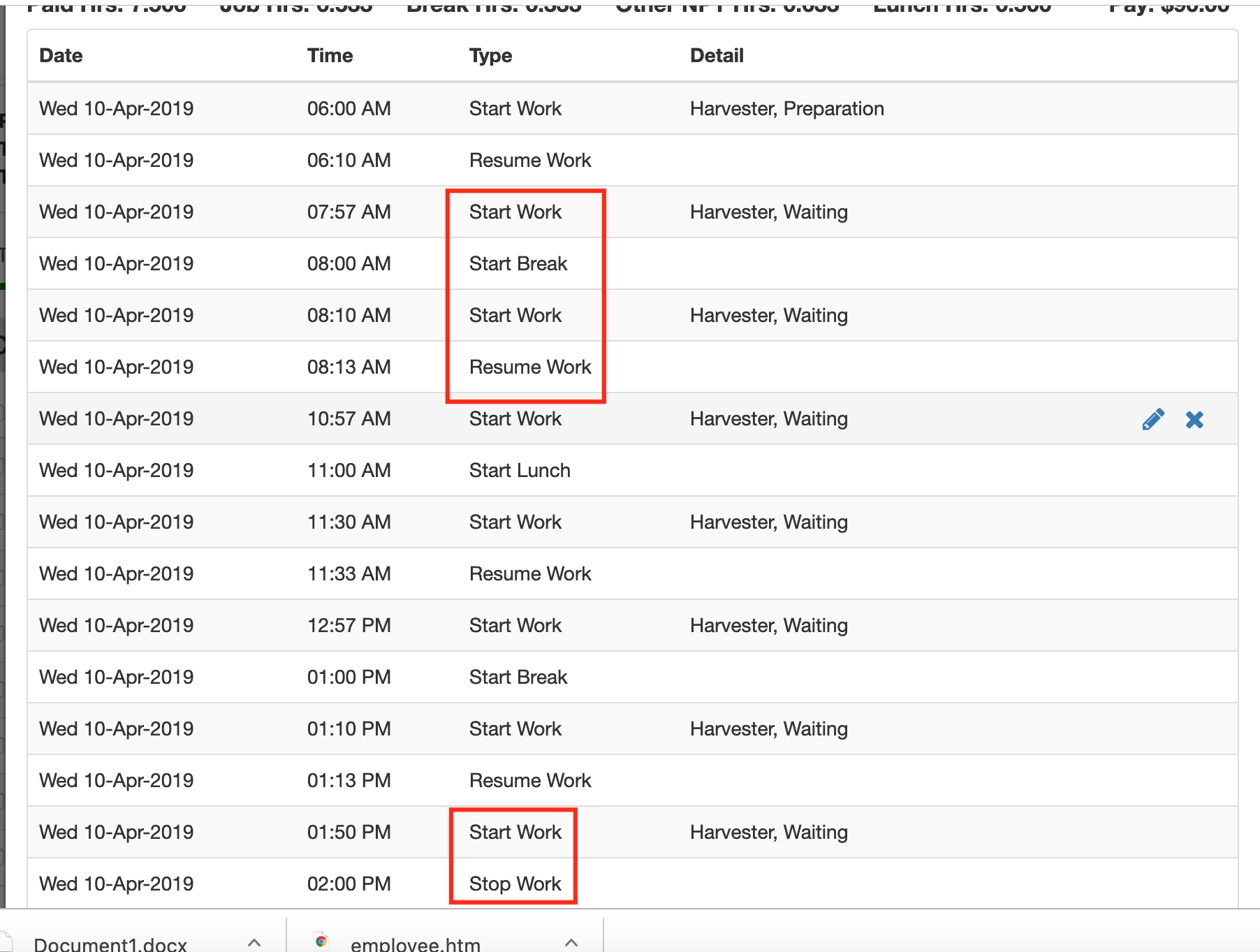
The following screenshot is how the automatic activities will display in the Pago web app after you start recording time using automatic activities. Notice when you record a break or lunch work log, four work logs are created. However, when you create a start or stop work log, it only creates two work logs.
Comments
0 comments
Article is closed for comments.