
In Pago, bonuses can be paid via several types of compensation. If bonuses are paid based on employee production output, then those bonuses are configured in the compensation related to products and production. There are two types of bonuses that are not based on production: Discretionary and Non-Discretionary.
Discretionary Bonus - discretionary bonus pay is entered as a dollar amount, without any linkage to hours, units, or other quantified values. Discretionary bonus pay is not promised to employees, implied or expressly.
Non-Discretionary Bonus - non-discretionary bonus pay is promised to employees and is based on a calculated formula.
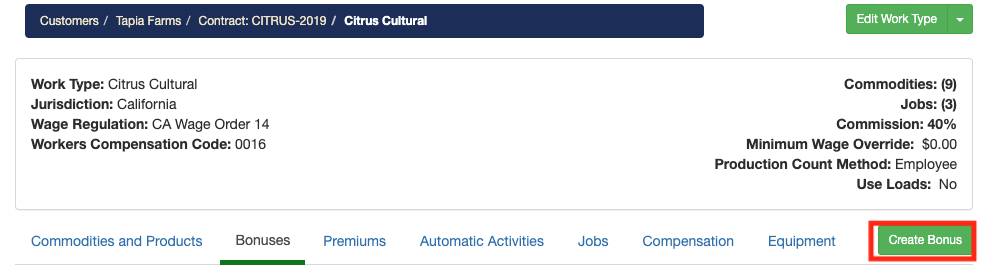
You can manage non-production bonuses by navigating to Customer > Select A Customer > Click on the Contracts tab> Select a Contract > Click Work Types tab > Select A Work Type > You will notice a Bonuses tab in the following screen. From this page you can add new bonuses and view and edit existing bonuses. Follow these steps to create a new non-production bonus.
1) Click on Create Bonus
2) Give the bonus a name and choose between Discretionary and Non-Discretionary
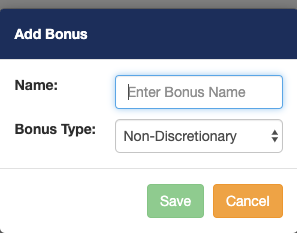
Non-Discretionary bonus steps
3) After creating a new bonus, you will see it in the list of bonuses. For Non-Discretionary bonuses you'll need to add them to a Job to pay employees. For Discretionary bonuses, please skip to Step 7.
Click on the Compensation tab.

4) Select a job you would like to add a bonus too.
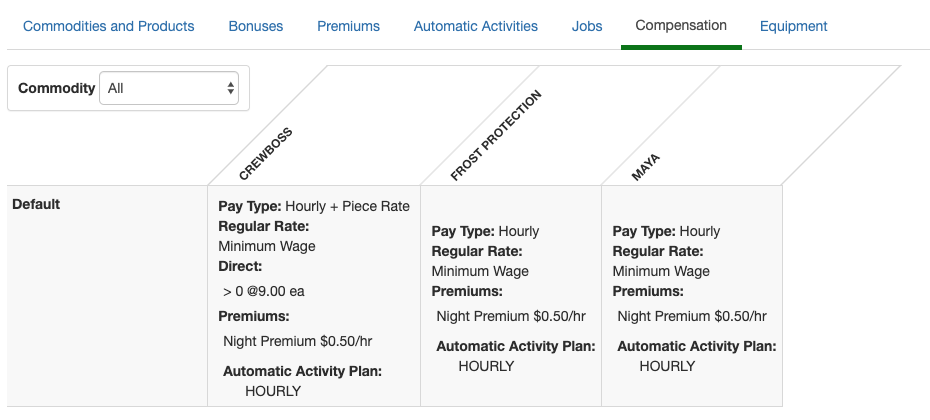
5) Once you have selected a job, the job compensation window will appear. Click on the Bonuses tab. In this section, you can only choose Non-Discretionary Bonuses. Select a Non-Discretionary Bonus from the list.
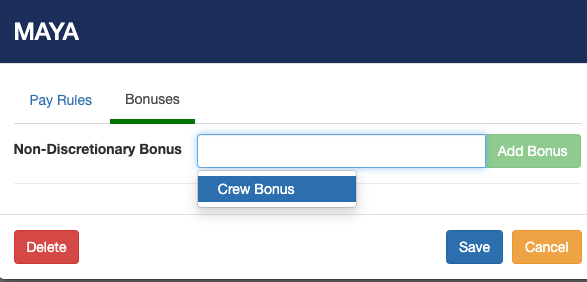
6) Now you will have to set the rate at which you would like this Non-Discretionary Bonus to be applied. Non-Discretionary Bonus pay can be paid in tiers.
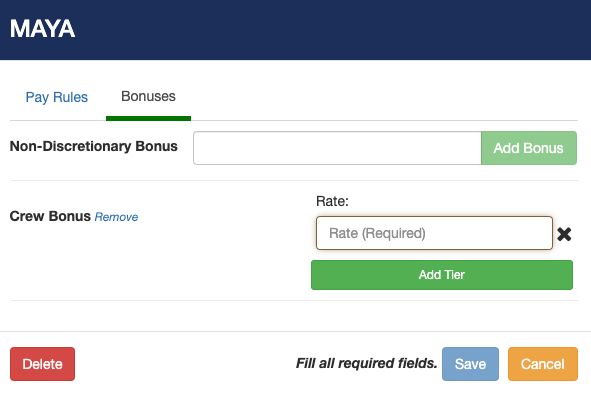
Adding a bonus to the work assignment
7) Within the work assignment click the Worklog Actions button. Now select from one of the bonus options.
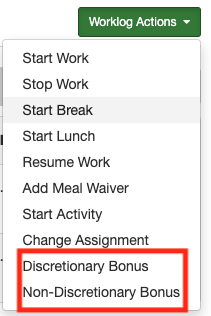
Discretionary Bonus:
The Bonus window will appear. You will have the option to give a bonus to All Employees present or a Specific Employee. Select from the list of discretionary bonuses. (If you don't see a list verify you have added a bonus to the contract)
The time must be set within the boundary the employee working in.
Once you have selected the bonus, enter the monetary amount the employee will receive. (If you have selected a Non-Discretionary Bonus then will enter the quantity that gets multiplied by the configured rate for the bonus which is set at the job's compensation).
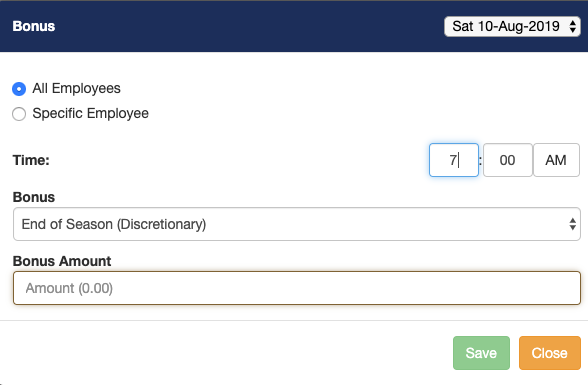
For Non- discretionary bonus if you don't see the amount appear on the employees' summary verify the job compensation has non-discretionary bonuses configured to it)
If you select an employee that has received a bonus you will notice the bonus appear on the employee's work logs.
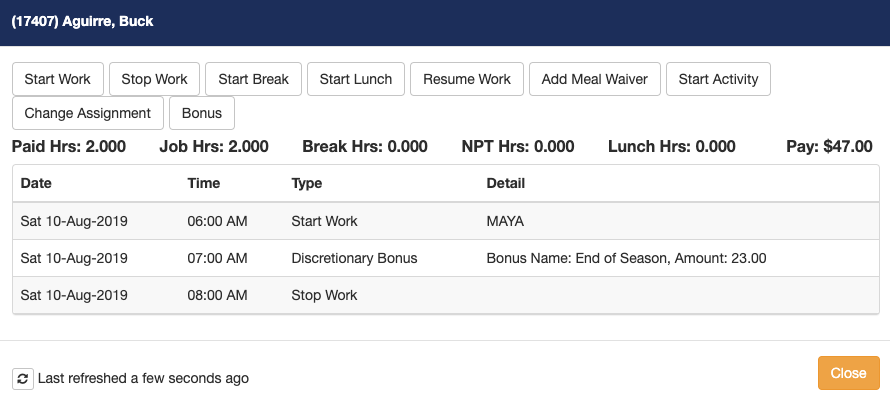
Comments
0 comments
Article is closed for comments.