
In the work assignment time summary screen, tab the green plus button to see a list of options. To record a break tap the Start Break option.
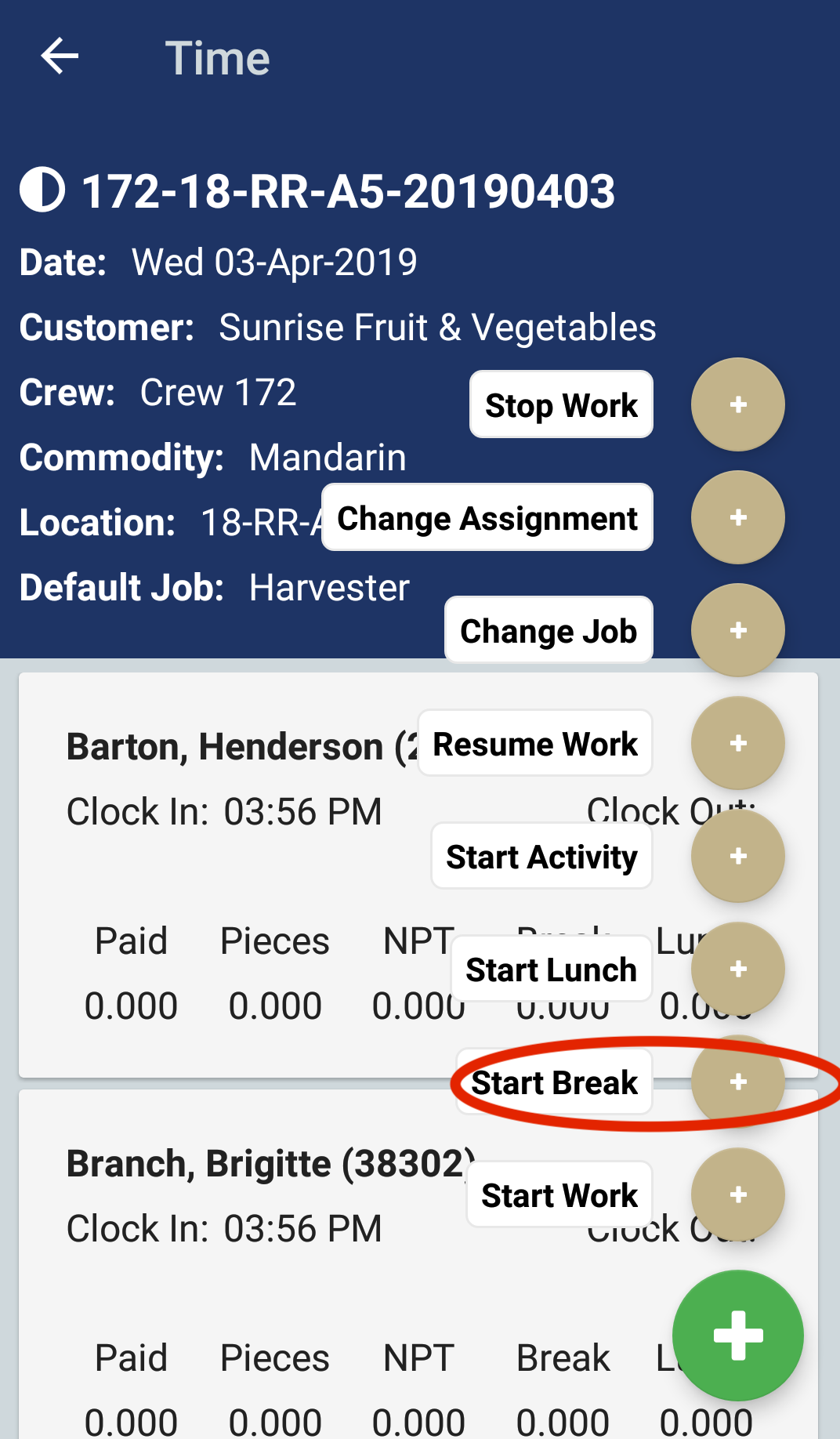
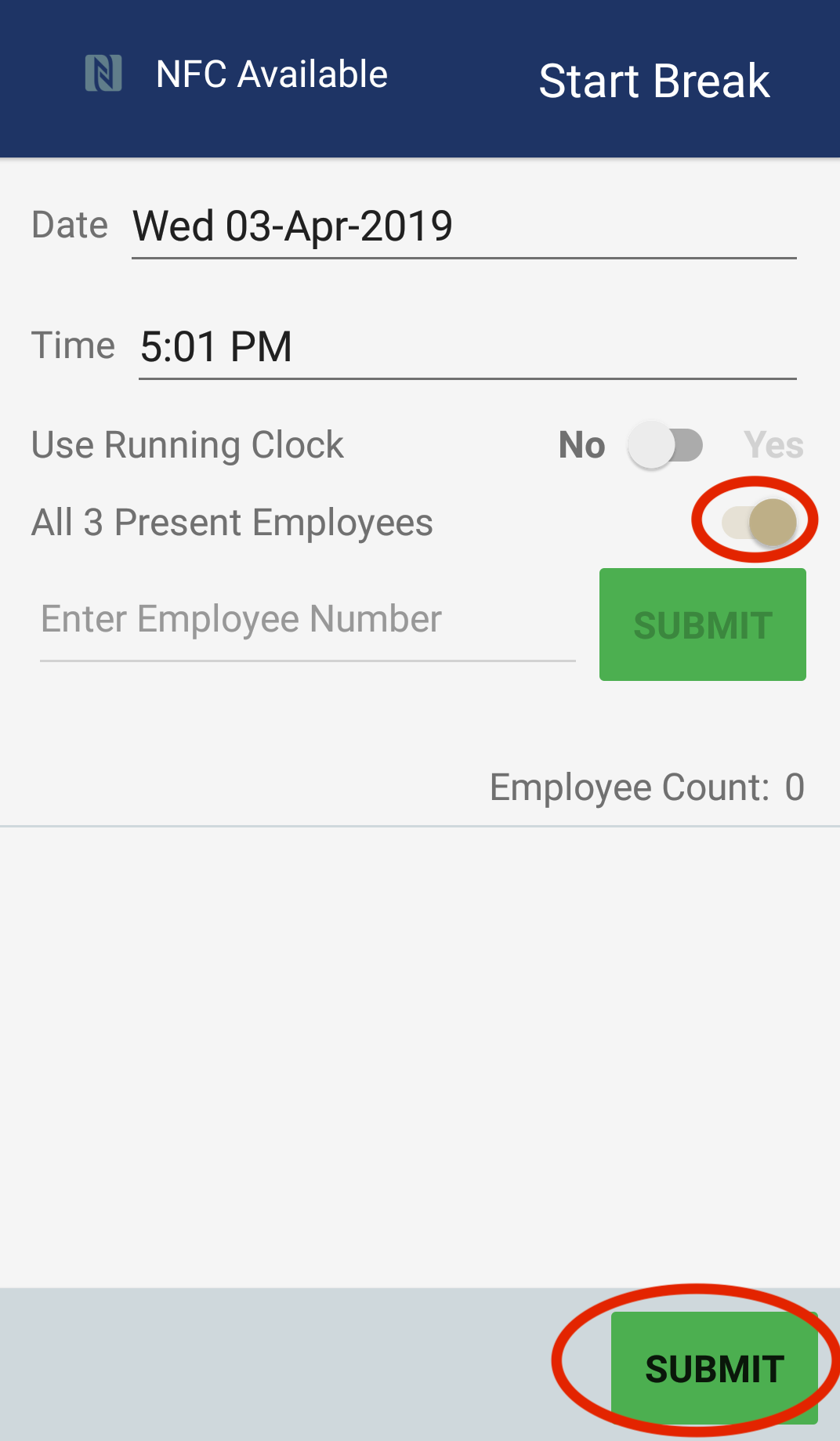
The Start Break screen will display. You can record a break for all clocked in employees by selecting the All Present Employees option and then tap the Submit button.
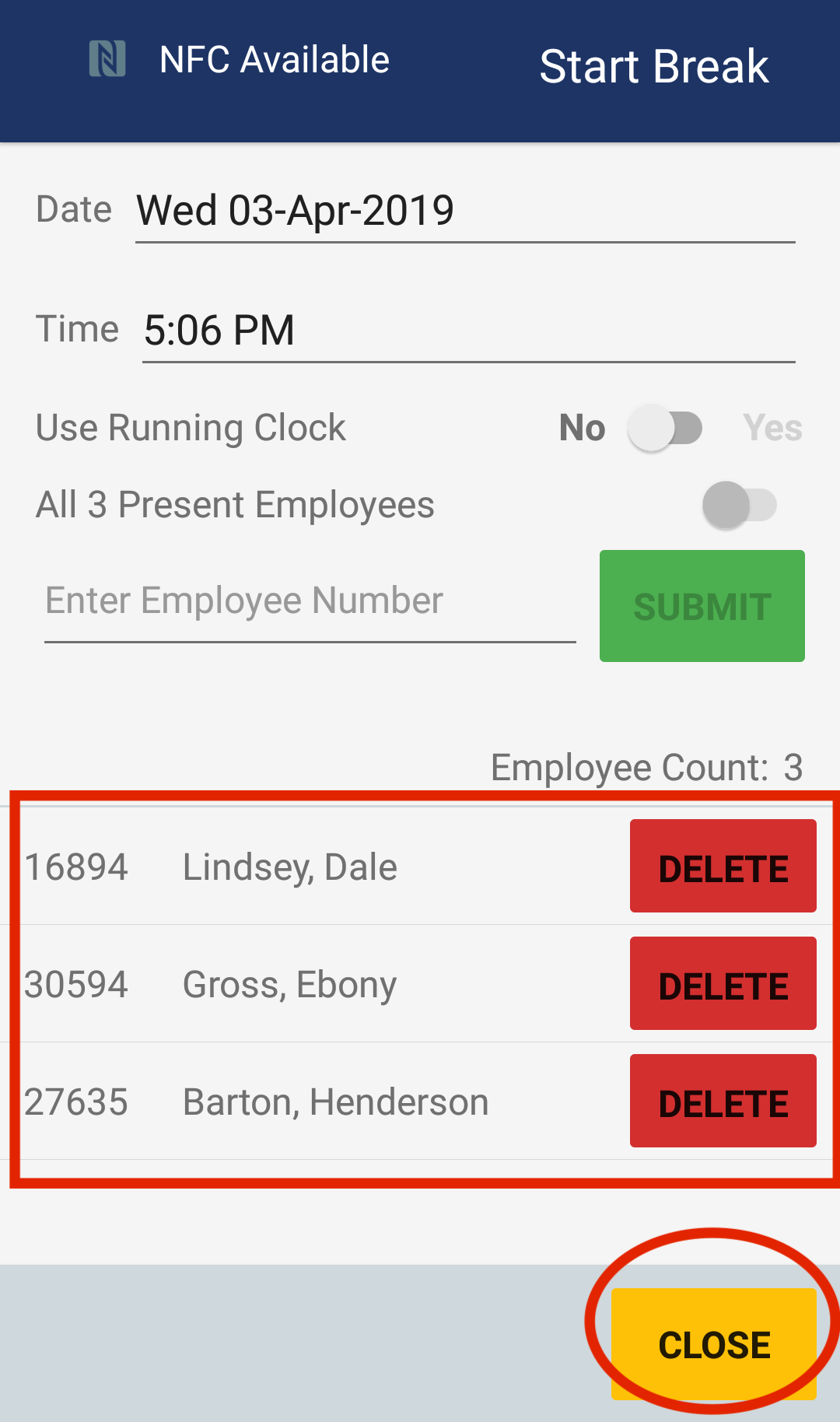
Alternatively, you scan individual employee badges to record a break for each employee. After you are done scanning employee badges, you can tap the Close button.
If you have automatic activities set up for the work assignment, then Pago Timekeeper will automatically clock employees back in after their break. If you do not have automatic activities, then you will need to select the Resume Work option to clock employees back in .
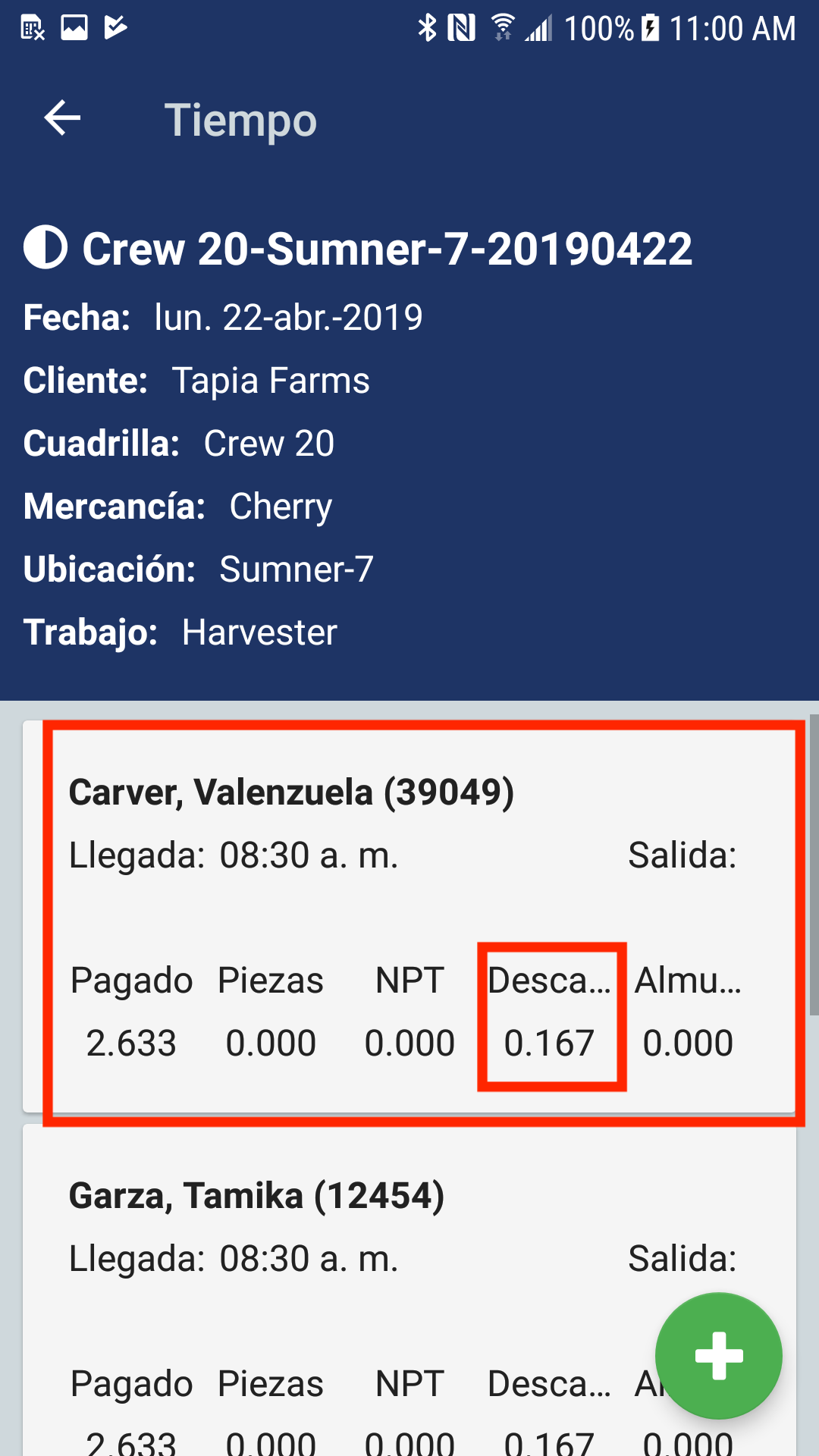
Recording lunches is similar to recording breaks.
Comments
0 comments
Article is closed for comments.