
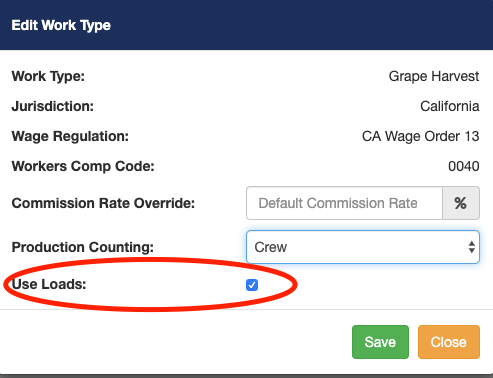
Before you can see the loads section on the mobile application you must first enable this feature in the work type within a contract. You only see the Use Loads checkbox if you change production counting from none to one of the available options from the drop-down list.
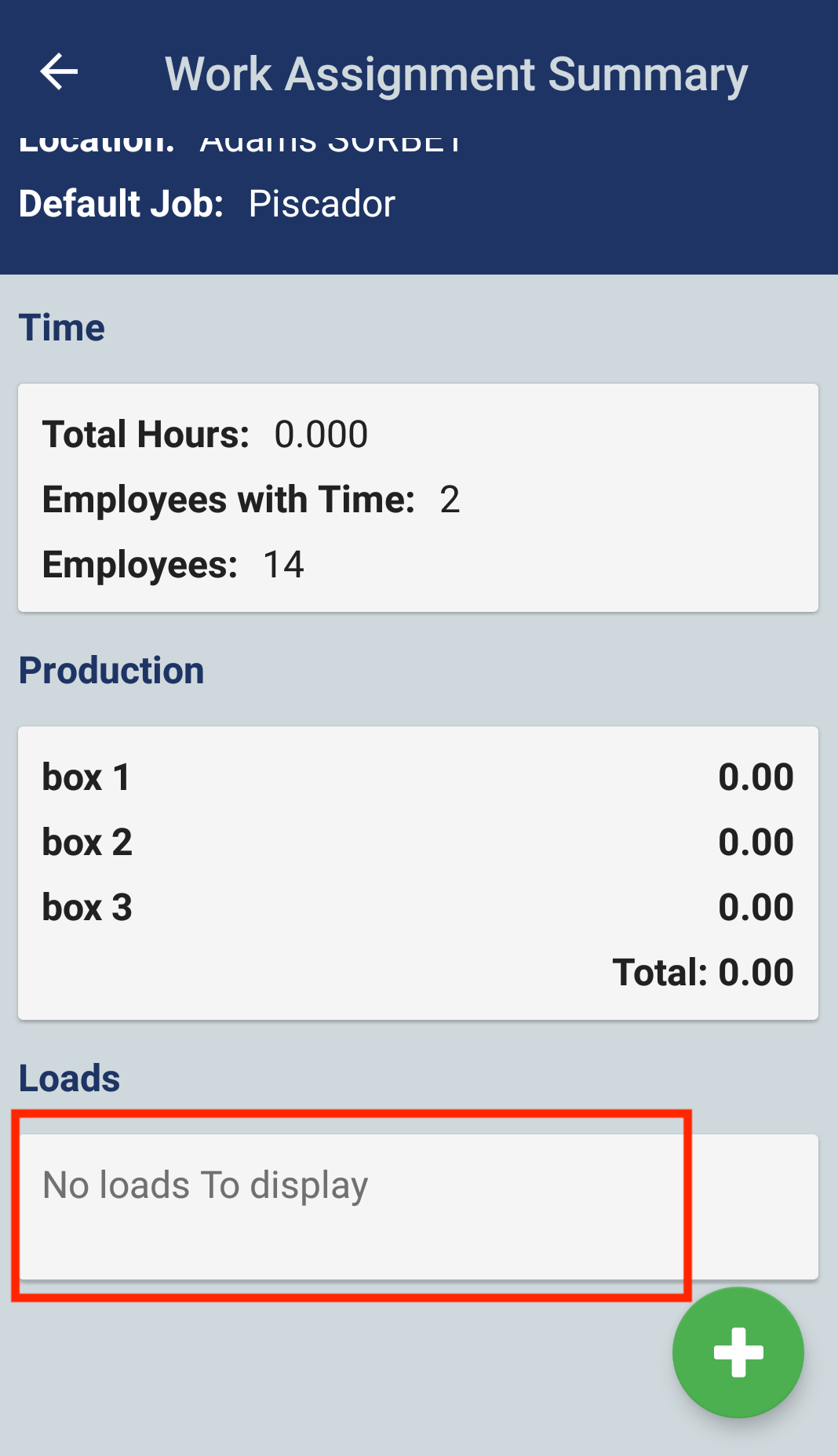
If your account has loads enabled for work assignment production, then you will see a Loads section in the Pago Timekeeper mobile app.
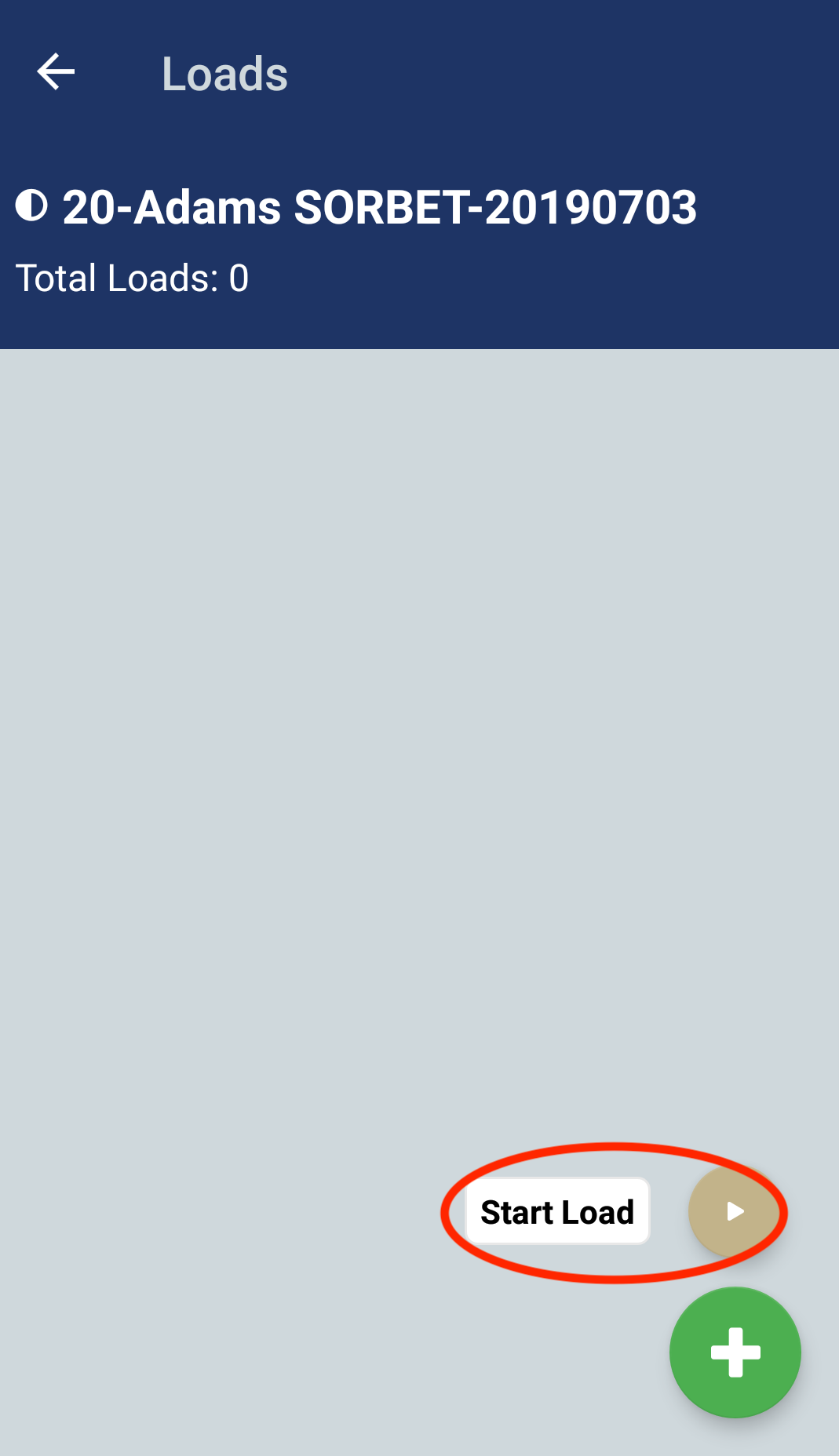
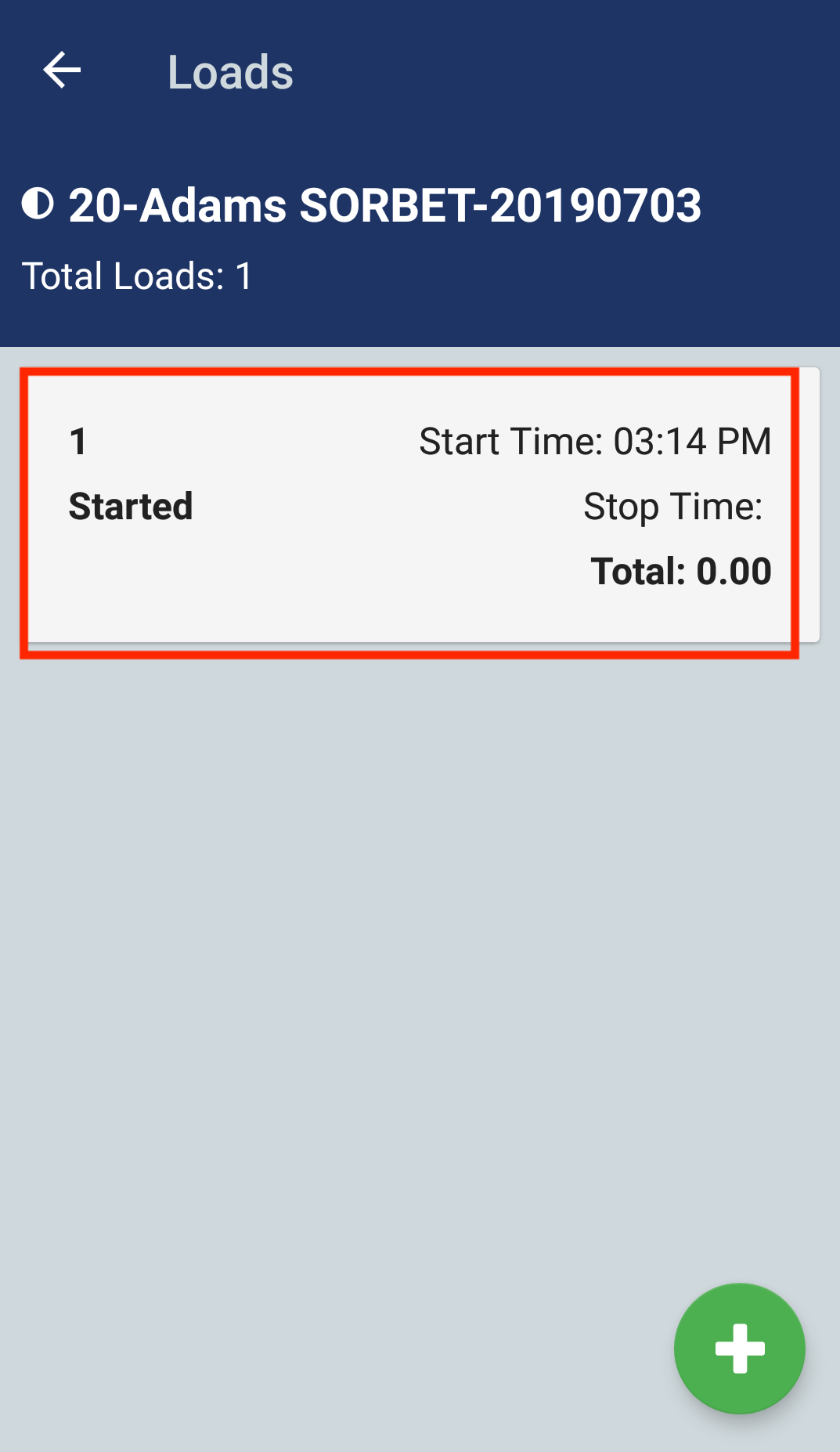
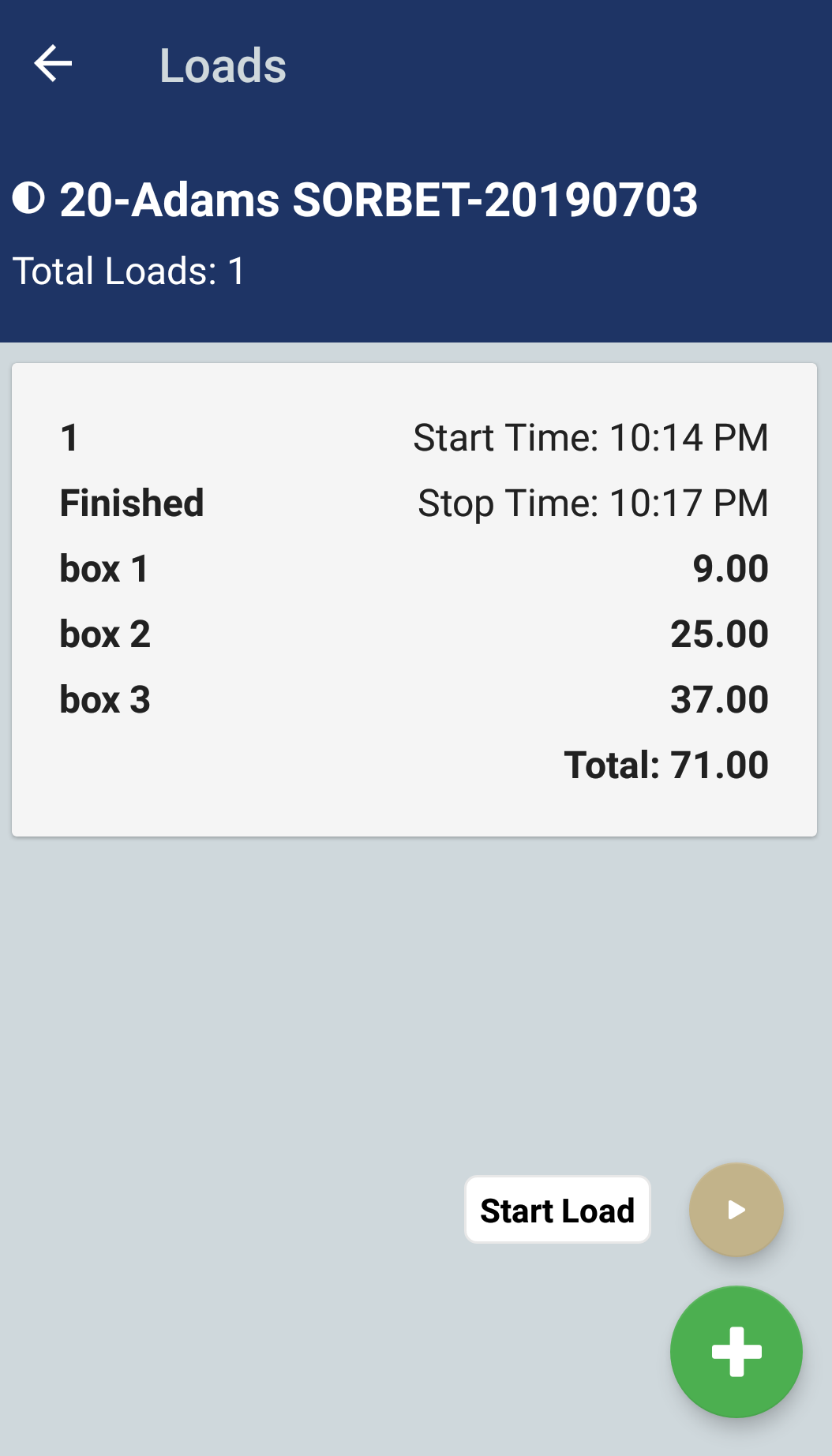
Tapping the Loads section will open the loads page. Once you are In the loads page, tap the green + button and select Start Load. The app will generate a new load. The Start Time will will default to the current time and is not editable. Tap on the recently generated load to start adding production.
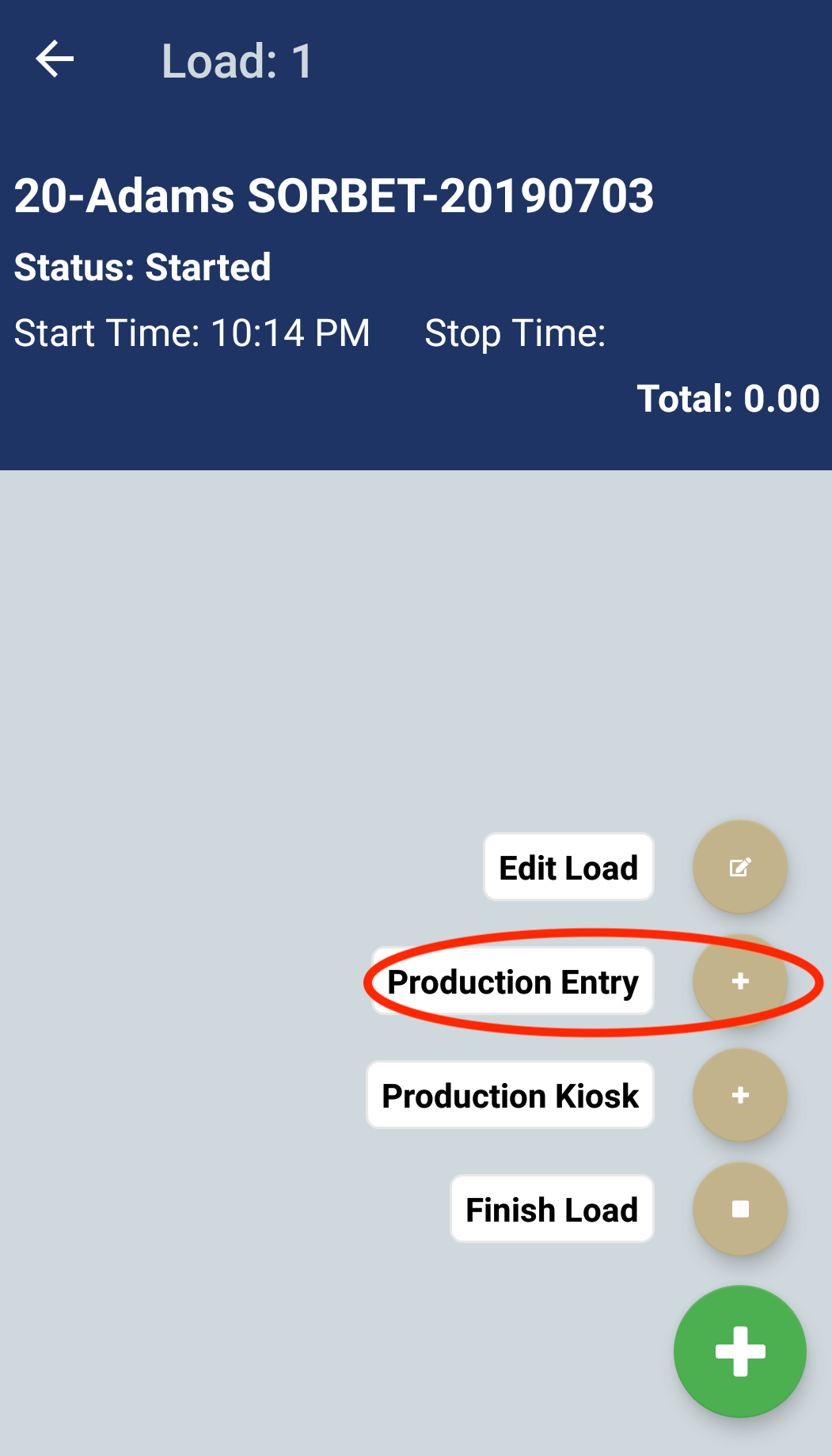
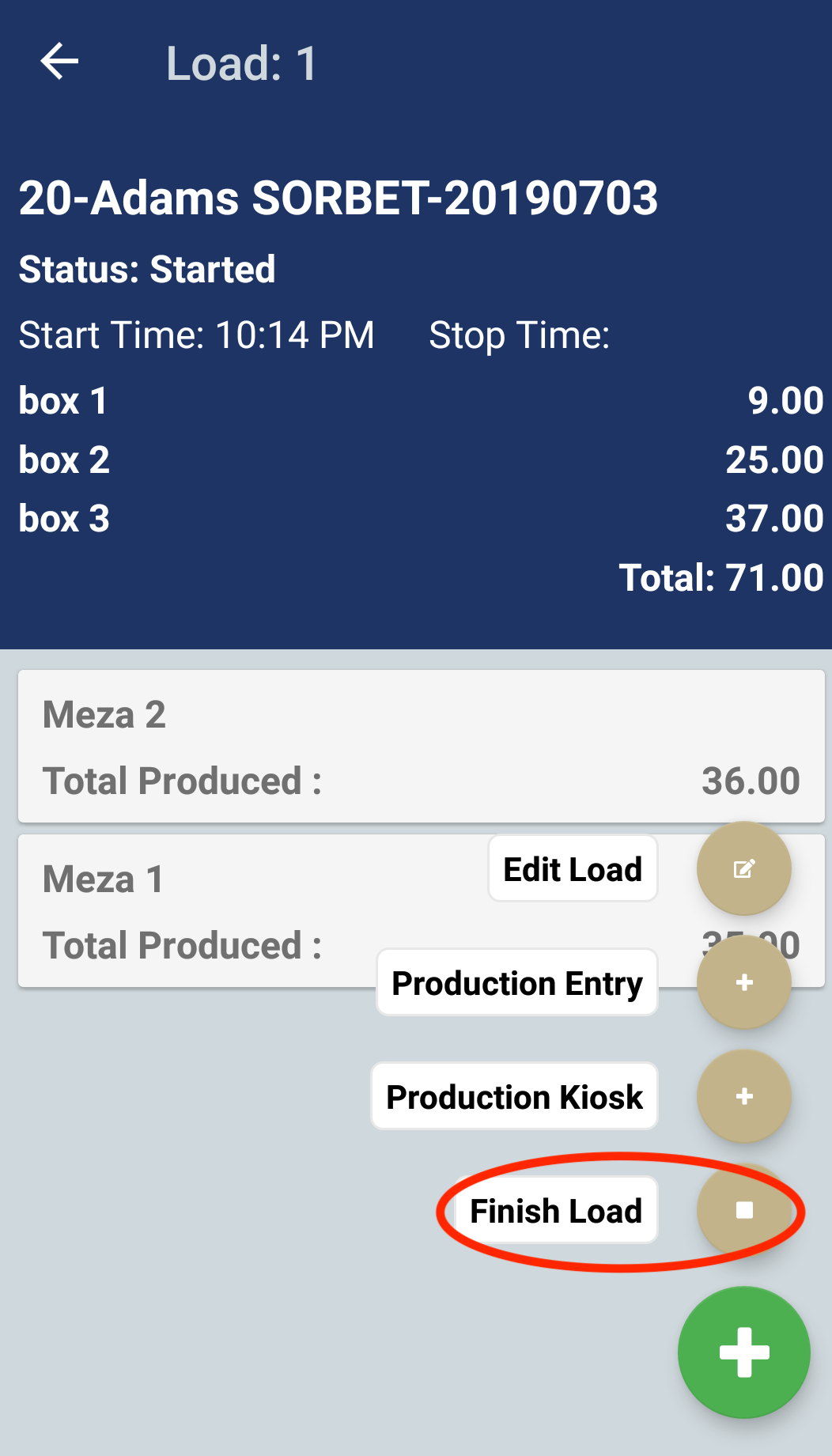
In load detail page, you will be able to see a list of teams or employees, with a summary of their production for the load. Tap the green + button to see a list of options.
Edit Load: In the edit load page, you can change the load's name.
Production entry: In the production entry page, you have the option to adjust the time/ date. Also you can add multiple pieces of production at once.
Production kiosk: In the production kiosk page, the app will record single quantities of production when you scan an employee badge.
Finish Load: When you are done recording production for a load, you select the Finish Load option. This will change the status of the load to finished. You must finish a load before you can start a new load. Only one load can be started at a time.
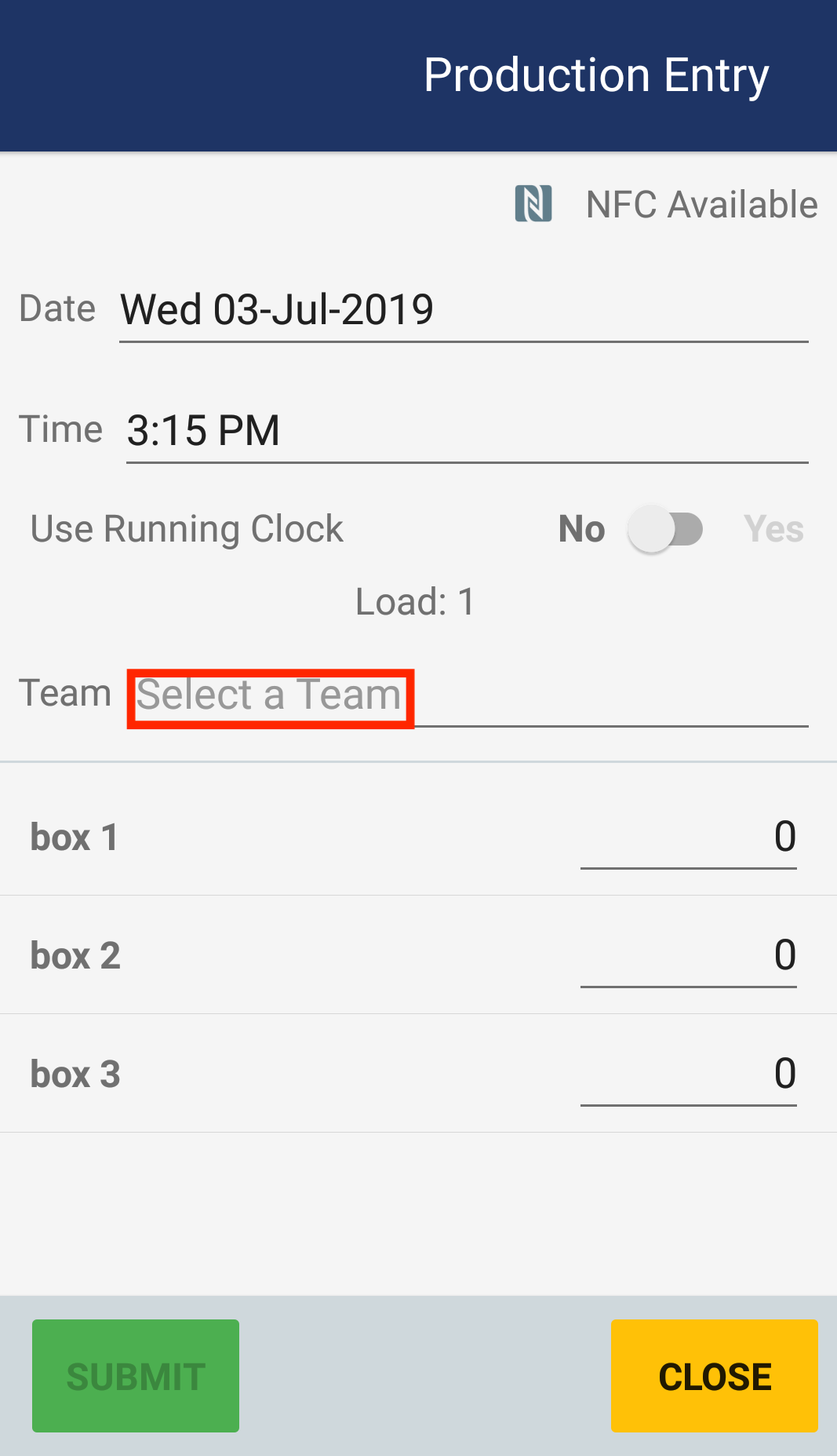
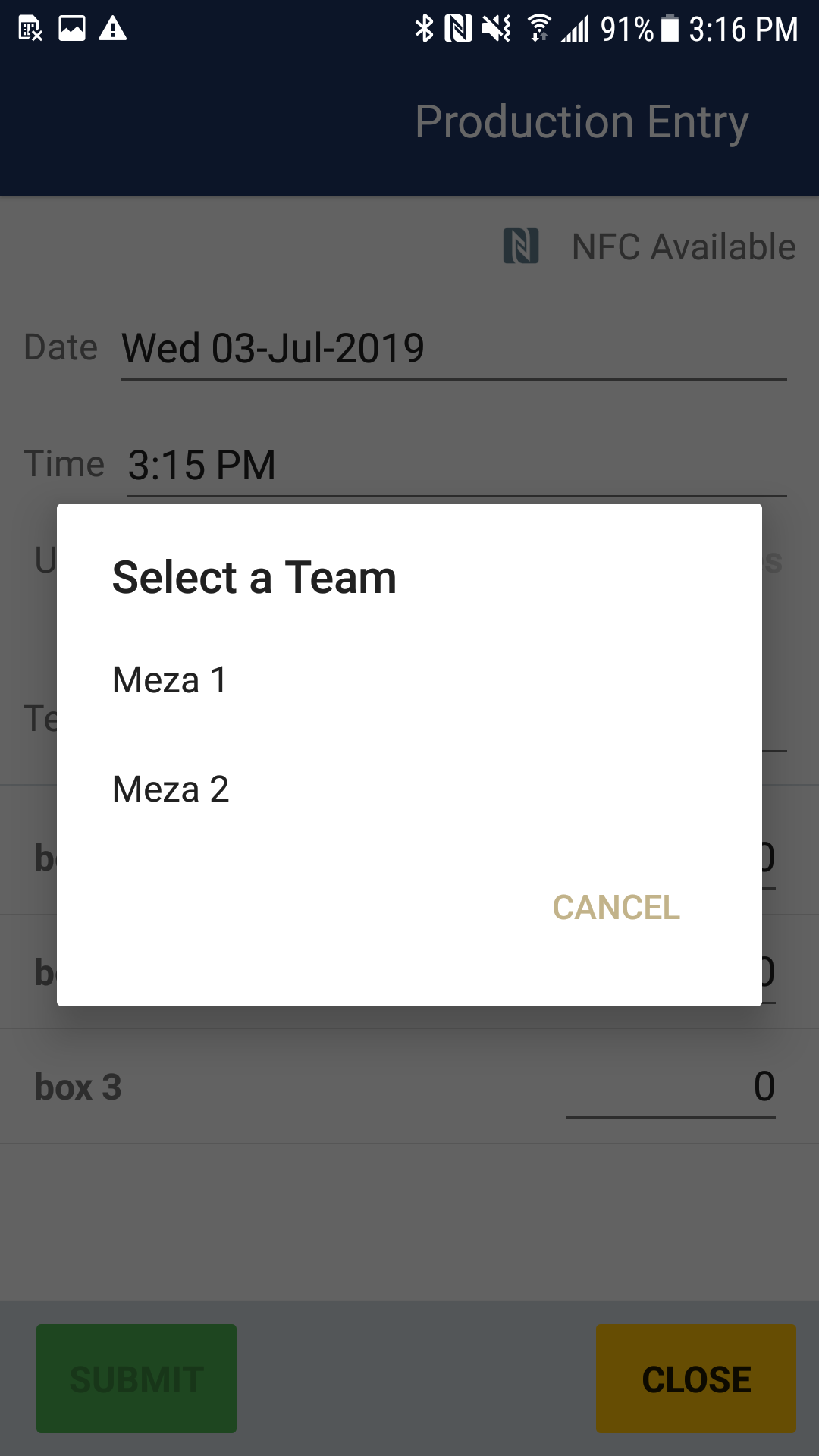
In the production entry screen, you must first select a team or employee. Click on the option Select a Team. A window of available teams will display. (Note: you can also scan an employees badge to select a team or employee). Once you have selected a team or employee, you can enter the quantity of production. When you are done, tap the Submit button to save your production entries.
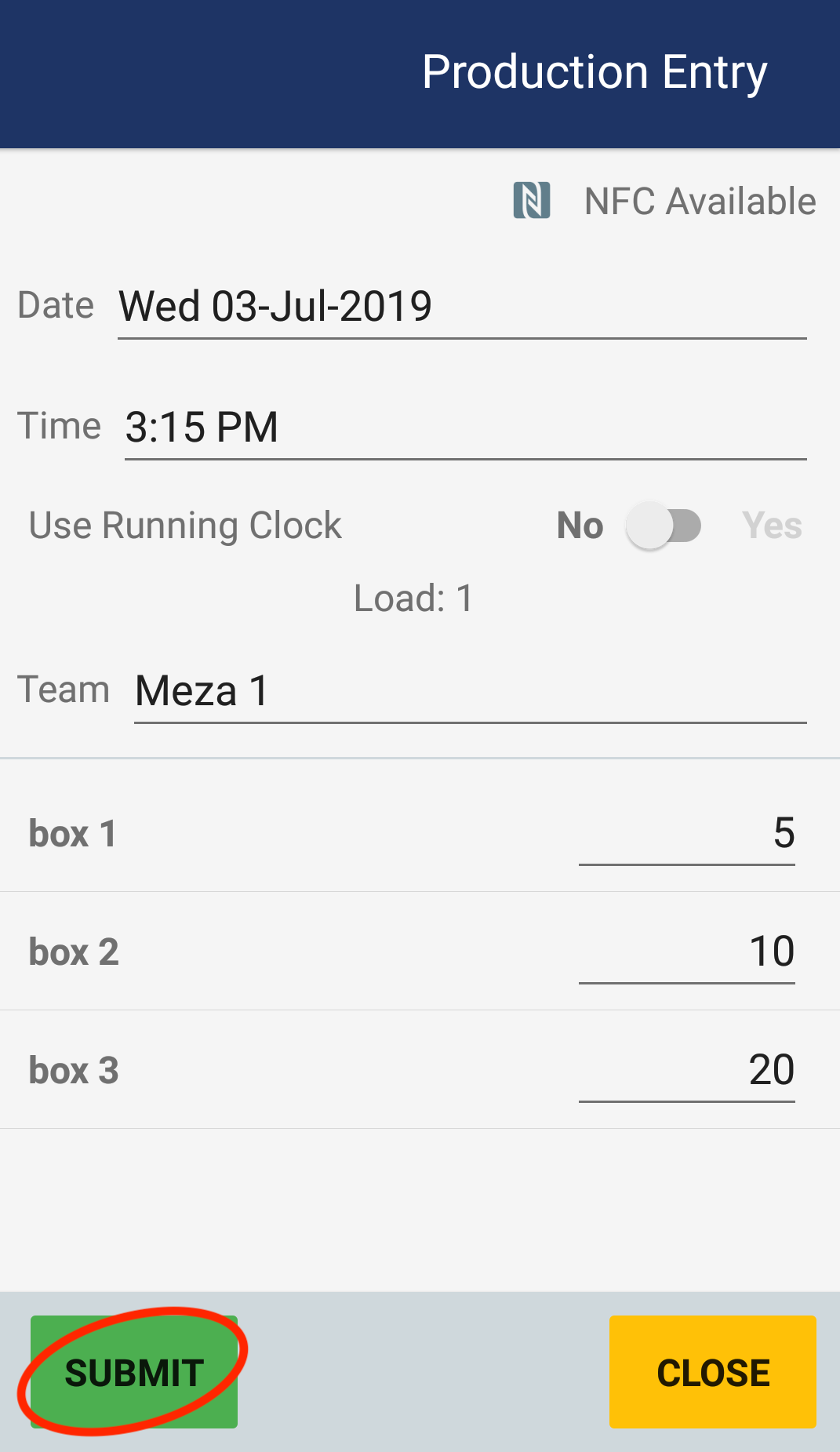
Review the teams or employees, and their production counts. If you need to make any adjustments, you can click on the team or employee and make the adjustments. Once you are done entering and reviewing production counts, tap the green + button and select the Finish Load option. The Finish Load option will change the load status to finished.
 .
. 
Comments
0 comments
Article is closed for comments.