
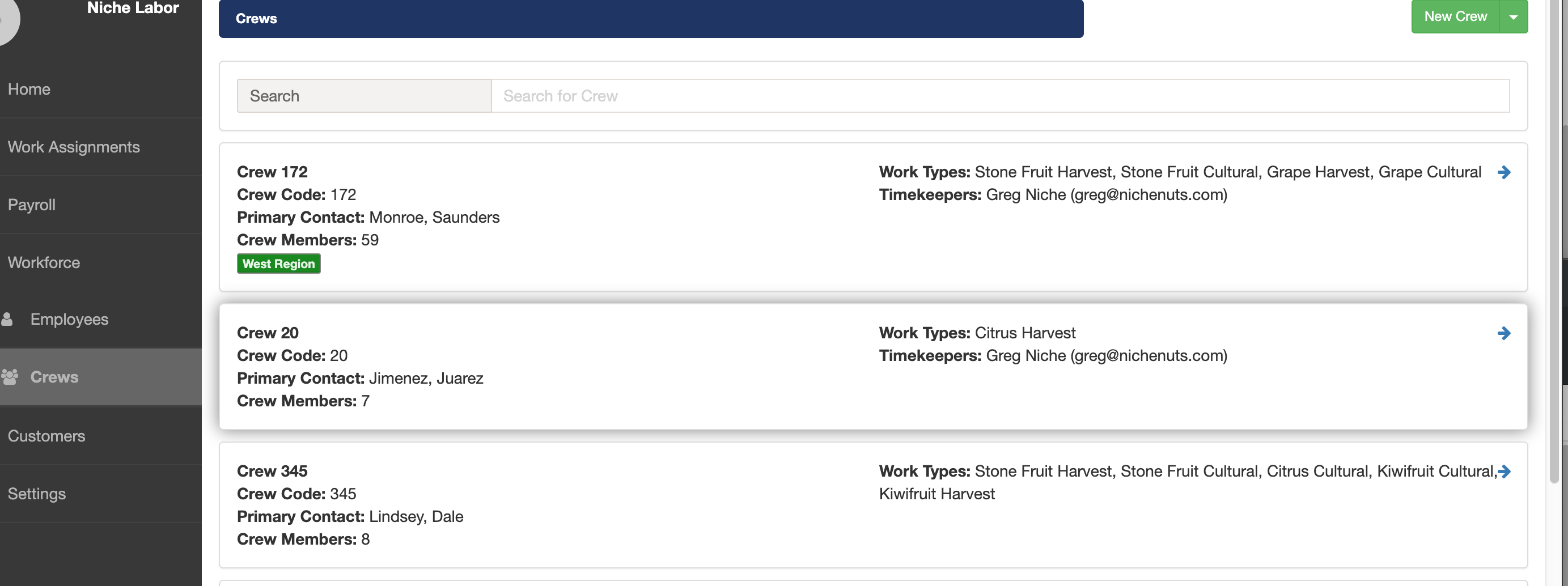
1. On the top level navigation, click on the Workforce option which will expand and display the Employees and Crews options. Select the Crews option to see a list of crews.
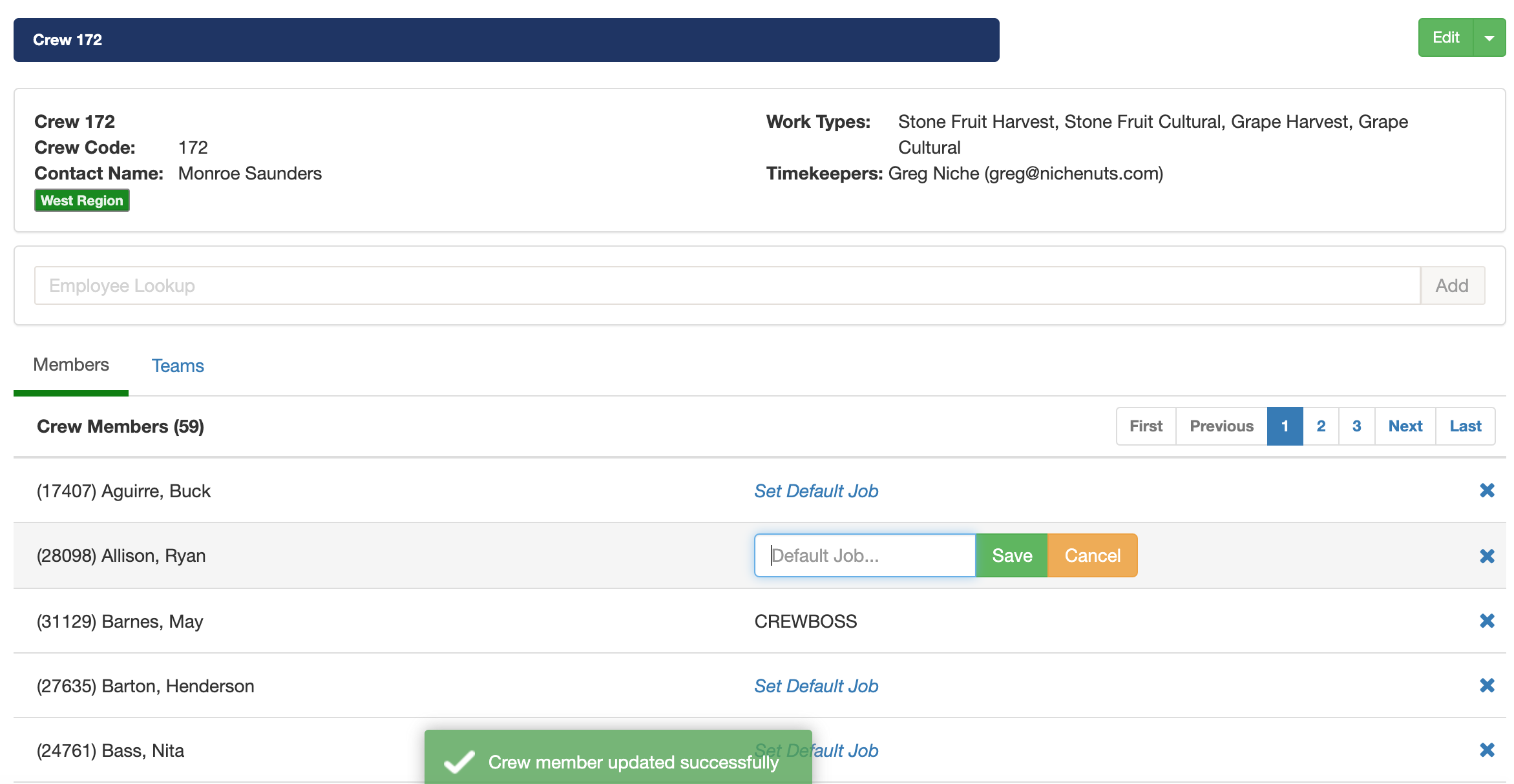
Once you click on the crew you can view the members that are currently in the crew. You can also change each crew member's default job. Select the Set default job option and once you are done editing the job click Save. For our example May Barnes is now set as the CREWBOSS and will be compensated accordingly.
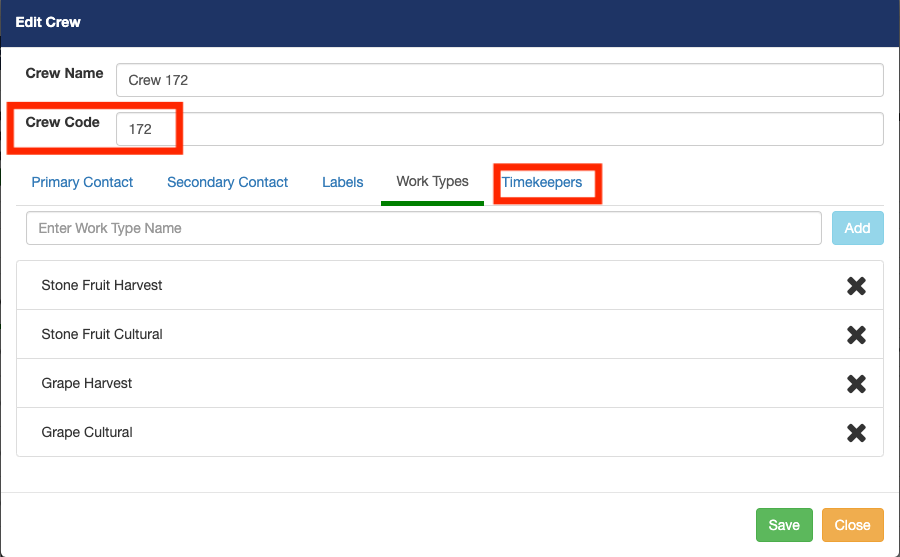
You can edit the crews Work Types and add Timekeepers to the crew. Note that the Crew Code will be used for payroll purposes. If the crew foreman will be recording time using the Pago Timekeeper mobile app, then he must be set as a Timekeeper for the crew.
Comments
0 comments
Article is closed for comments.