
An employee can either be added manually in Pago or can be imported from your payroll software system (Datatech, Famous Software, etc.) In this article we will be using Pago to manually add an employee.
1. On the top level navigation, click on the Workforce option which will expand and display the Employees and Crews options.
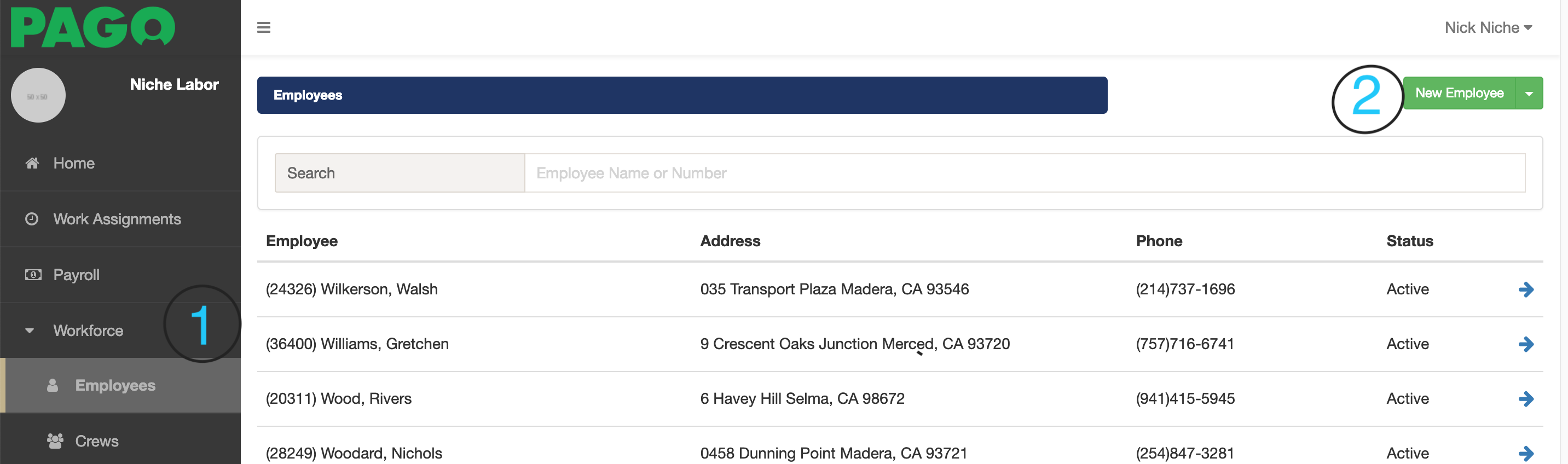
2. Click on Employees option (1)
3. Click on the New Employee button (2)
4. Fill out the employee's information and select the Save button. The required fields include the employee id, first name, and last name. Other fields are optional. The employee id field should be the payroll id value for the employee in your payroll software system. This is important as Pago will create payroll records for each employee.
Optionally, you can select a crew for the employee now. If you don't, the employee can be added to a crew later.
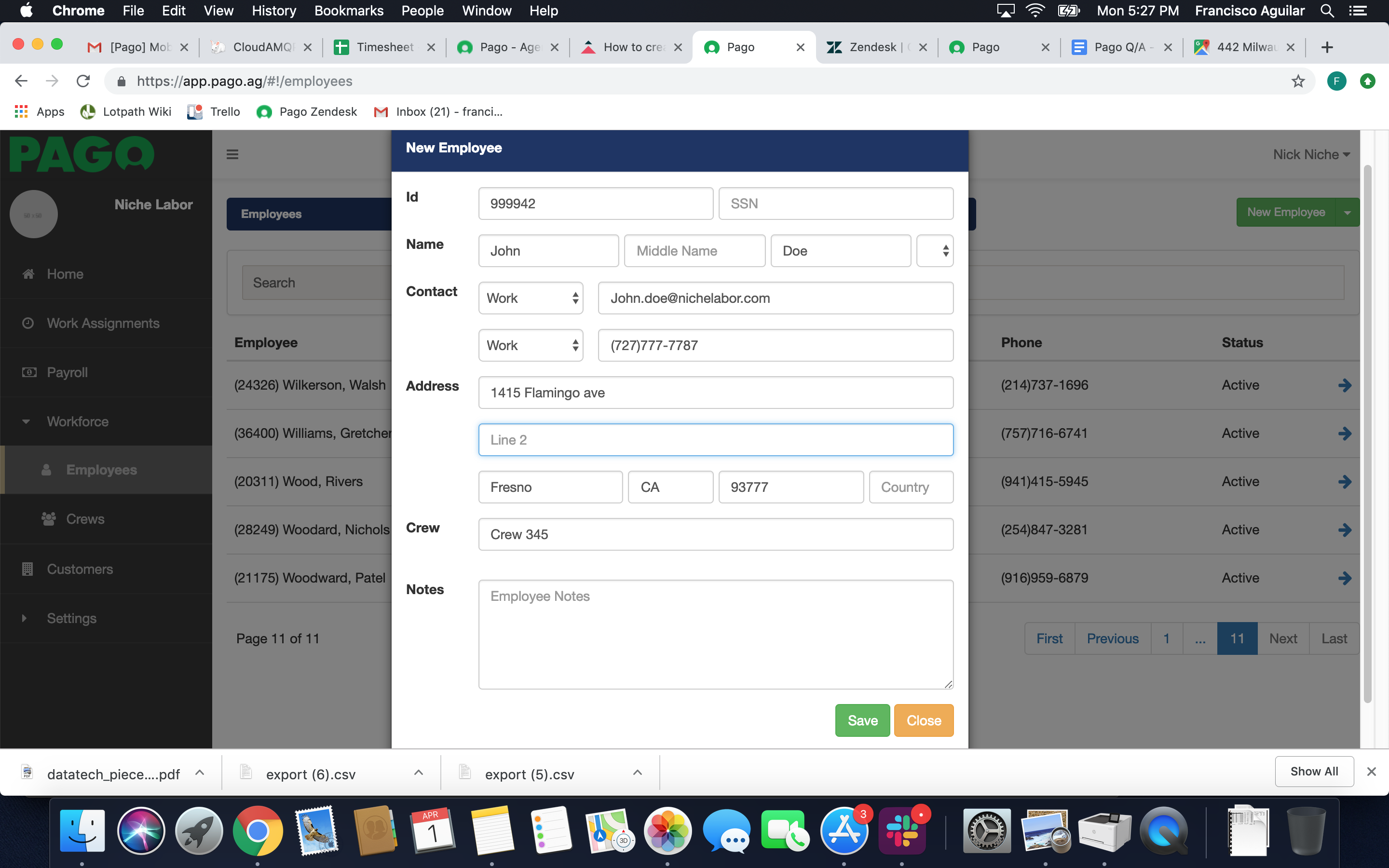
5. Once you have entered all of the employee's information, click the Save button and the employee will be added to Pago. If you selected a crew, the employee will immediately become a member of the crew.
Comments
0 comments
Article is closed for comments.