
A crew can either be added manually in Pago or can be imported from your payroll software system (Datatech, Famous Software, etc.) You can also import crew members. In this article we will be importing crews and crew rosters.
Import Crews
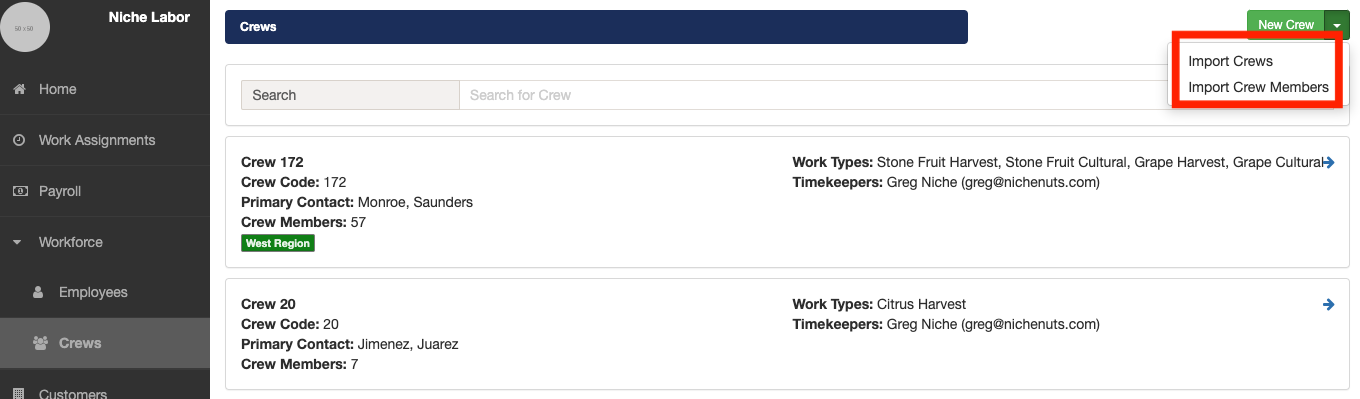
1. Open the Crews page. Click the down arrow adjacent to the New Crew button and then select the Import Crews option.
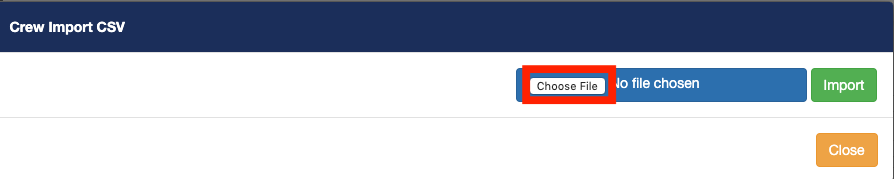
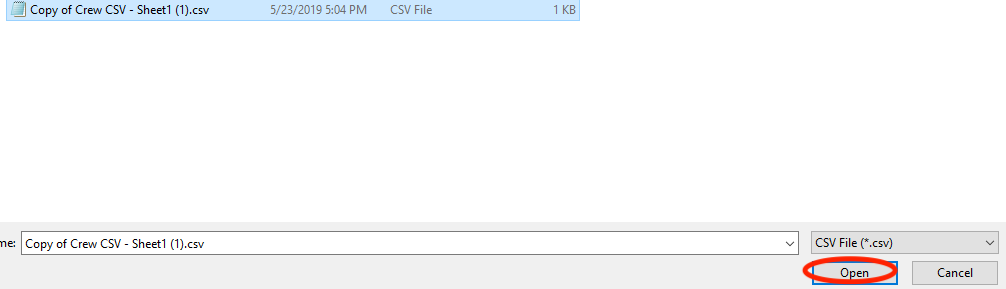
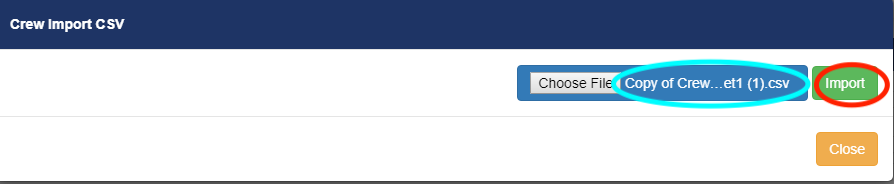
2. Click on the Choose File button to open a file selector window. Navigate your computer's file system to select the crew import file. After you have selected the appropriate file click on the Import button to start the crew import process.
The crew import process will open the import file and process each record. If a crew already exists in Pago, the import process will check to see if any of the crew's information is different and update Pago accordingly. If a crew does not exist in Pago, the import process will add the new crew.
If there are any format errors with the crew import file, Pago will display an error message and the entire crew import file will not be processed.

Crew Import File Specs
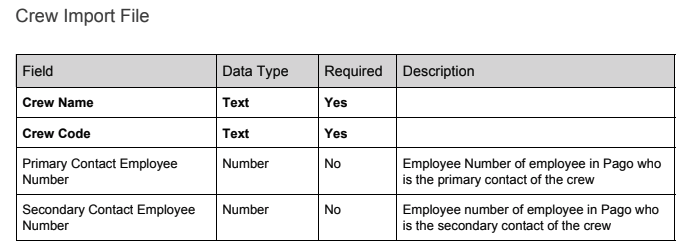
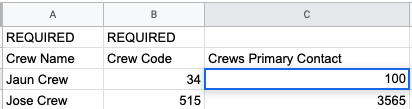
Pago uses the Crew Name field to decide whether a crew record in an import file is a new crew or if the crew already exists in Pago.
Import Crew members
1. Click the down arrow adjacent to the New Crew button and then select the Import Crew Members option.
2. Click on the Choose File button to open a file selector window. Navigate your computer's file system to select the crew members import file. After you have selected the appropriate file click on the Import button to start the crew members import process.
The crew members import process will open the import file and process each record. If a crew member already exists in Pago, the import process will ignore the record in the file. If a crew member does not exist in Pago, the import process will add the new crew member.
If there are any format errors with the crew members import file, Pago will display an error message and the entire crew members import file will not be processed.
Crew Member Import File Specs
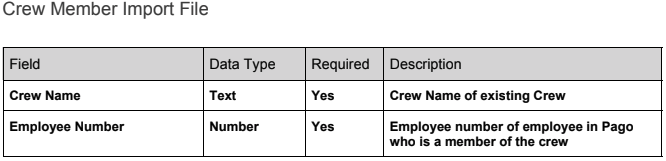
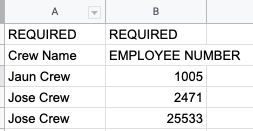
Comments
0 comments
Article is closed for comments.